Remittance senders lose an average of 6.2% per transaction to fees and unfavorable exchange rates, according to the World Bank's remittance data. A large share of that friction happens before the transfer even starts: users land on the wrong page, get quoted a stale rate, or abandon the flow entirely on mobile. A well-structured currency conversion QR code solves all three of those problems at once.
This guide shows you exactly how cross-border fintech platforms and corridor-specific payment tools can embed live exchange-rate logic behind a permanent, trackable QR code so that scanning it takes the user directly to a live rate view before they commit to a transfer.
Why QR Codes Are a Natural Fit for Cross-Border Payments
Mobile penetration in the top remittance corridors, such as US-Mexico, UAE-India, and UK-Philippines, is near universal. The sender is almost always on a smartphone. A QR code removes every step between physical or printed marketing material and the moment a user sees a live rate.
The critical distinction here is between a static QR code and a dynamic QR code. A dynamic QR code is one where the destination URL can be changed after the code is printed or published, without generating a new code. That matters enormously in fintech, where exchange rates change by the minute and your landing page URLs may rotate with campaigns.
A dynamic QR code decouples the physical code from the destination. You print it once on a flyer, a receipt, or a storefront, and you can update where it points at any time. For currency conversion flows, this means you never serve a user a stale rate page because you changed the URL on the back end.
For remittance operators, this is not a convenience feature. It is a compliance and trust issue. Sending a user to a page showing yesterday's rate and then charging today's rate is the kind of friction that kills conversion and triggers chargebacks.
How Does a Currency Conversion QR Code Actually Work?
At its core, a currency conversion QR code is a dynamic short link encoded as a QR image. When scanned, it redirects the user to a URL that either pulls live rate data directly or routes them through a corridor-specific landing page that does.
Here is the architecture in plain terms:
- Your fintech platform hosts a live-rate landing page. This page accepts URL parameters such as
?from=USD&to=MXNand renders the current mid-market rate alongside your transfer fee so the user sees the full cost before clicking "Send." - You create a dynamic short link pointing to that page. The short link is stable. The destination can be updated any time your URL structure changes or you want to route a corridor to a new landing page.
- You encode the short link as a QR code. The QR code is printed on remittance agent signage, digital receipts, social ads, or packaging. It never changes, even if the destination does.
- Every scan is tracked. You see scan volume by corridor, device, location, and time. That data feeds your conversion funnel directly.
The QR code itself is just a container. The real work happens in the dynamic link layer beneath it. Get that layer right and you have a single physical asset that can serve multiple corridors, campaigns, and rate windows without ever being reprinted.
Building the Corridor-Specific QR Flow: The Rate-First Method
Most fintech QR flows make a mistake: they point to a generic homepage or app download page. Users who scan a QR code on a remittance agent's window already know what they want. They want to see the rate for their corridor, right now, on their phone.
The Rate-First Method is a four-step framework for structuring QR landing flows around the rate display moment rather than the brand moment.
Step 1: Map Your Corridors to Unique Landing Pages
Build or configure a landing page for each corridor you serve. Each page should show: the live mid-market rate, your transfer fee, the amount the recipient gets, and a single call to action. Keep the URL structure consistent, for example: yourdomain.com/send/usd-to-mxn.
Step 2: Create One Dynamic Short Link per Corridor
Do not encode the raw destination URL into the QR code. Create a short link for each corridor and encode that instead. When your destination URL changes, you update the short link. The QR code on the wall stays the same. You can create a free dynamic QR code that stays permanently linked to your short URL, giving you full control over the destination long after the code is deployed.
Step 3: Apply Geo-Targeting at the Link Level
If you operate in multiple markets, the same QR code can serve different corridor pages depending on where the scan originates. A scan from the United States routes to the USD-to-MXN page. A scan from the United Kingdom routes to the GBP-to-PHP page. This is handled at the short-link level using geo-targeting redirects by country, not by printing different QR codes for every market.
Step 4: Track and Optimize by Scan Data
Every scan generates a data point: device type, location, time, and referrer. Map scan volume against transfer initiation rates for each corridor. If the USD-to-INR QR gets high scan volume but low transfer starts, your rate page has a conversion problem, not a visibility problem. That is a specific, actionable insight you only get when your QR layer tracks properly.
What Makes a QR Code "Permanent" for Fintech Use Cases?
This is one of the most common concerns from fintech operators deploying physical QR codes: "What happens to our printed materials if we change our URLs or rebrand?" The answer depends entirely on whether you used a dynamic or static QR code.
A static QR code encodes the destination URL directly. Change the URL and the code is broken. A dynamic QR code encodes a short link. The short link is permanent. The destination is editable. Your printed materials never expire because of a URL change. To understand exactly how long dynamic QR codes stay valid and what actually causes them to stop working, read the full breakdown on whether QR codes expire.
For any fintech operator printing QR codes on physical materials, receipts, or signage, dynamic QR codes are not optional. They are the minimum viable approach. A static QR code tied to a live-rate URL is a liability: one platform migration and every printed code in the field is dead.
Start shortening links for free at hiturl.at. No credit card needed.
How Do You Embed Live Exchange Rates Behind a QR Code?
The QR code itself does not store the exchange rate. It stores a URL. The rate logic lives on your landing page or in a redirect chain. Here are the three most common technical approaches fintech teams use.
Option A: URL Parameter Injection
Your short link points to a URL like yourdomain.com/rates?from=USD&to=PHP. Your landing page reads those parameters and fetches the current rate from your exchange rate API on page load. The QR code never needs to change. The rate updates every time someone scans.
Option B: Corridor Redirect with Rate API on Landing Page
You maintain one short link per corridor. The destination is a corridor-specific page that always fetches live data. When you update your rate API provider or page infrastructure, you update the short link destination. No QR code reprint needed.
Option C: Geo-Targeted Multi-Corridor QR
One physical QR code. One short link. Geo-targeting rules at the link level route scanners to different corridor pages based on their detected location. This approach works well for agents operating in border regions or for marketing materials distributed across multiple countries simultaneously.
Retargeting: Turning Every Scan Into a Remarketing Audience
Most fintech teams stop at the scan. That is a missed opportunity. Every user who scans your currency corridor QR code has demonstrated high intent. They are actively thinking about sending money. They are the exact audience you want to retarget with a follow-up ad.
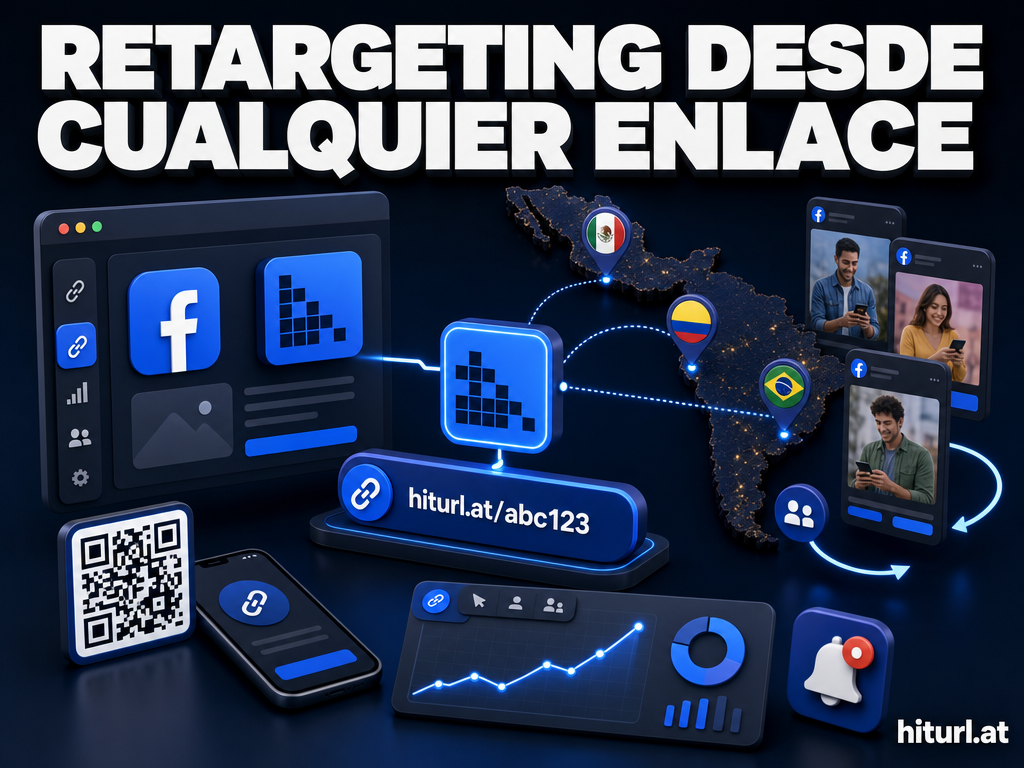
By routing QR scans through a short link that fires a retargeting pixel, you can build a Facebook, Google, or LinkedIn remarketing audience from every scan, even if the user never completes a transfer on that session. You reach them again later, in their feed, with a specific corridor offer.
HitURL supports retargeting pixel integration directly at the link level, meaning you do not need to modify your landing page to fire pixels. The pixel fires on click through the short link, before the user even reaches your domain. Explore the full dynamic QR code features at HitURL to see how scan-level retargeting is configured.
Scan-level retargeting flips the economics of remittance marketing. Instead of paying to acquire users who have never heard of your service, you are re-engaging users who have already expressed interest by scanning your QR code. The cost-per-transfer drops because the intent signal is already there.
Measuring QR Performance Across Corridors
A currency conversion QR code that does not feed your analytics is a wasted asset. Here is what you should be tracking at minimum.
- Scan volume by corridor: Which corridor QR codes get the most scans? This tells you where demand is concentrated.
- Scan-to-transfer rate: Of users who scan, how many initiate a transfer? Low rates signal a landing page or rate competitiveness problem.
- Device breakdown: Are most scans on iOS or Android? This affects your mobile landing page optimization priorities.
- Geo distribution of scans: If your USD-to-MXN QR is being scanned from unexpected locations, that may reveal new user segments or distribution opportunities.
- Time-of-day scan patterns: Remittance senders often transact on weekends or payday cycles. Scan data can confirm or challenge your assumptions about send timing.
See how HitURL tracks every click and scan. Create your free account at hiturl.at.
Common Mistakes Fintech Teams Make With Remittance QR Codes
Avoid these before you deploy at scale.
Using static QR codes for live-rate pages. Any URL change breaks every printed code in the field. Use dynamic QR codes from the start.
Pointing all corridor QR codes to the same homepage. Users who scan a corridor-specific QR expect corridor-specific content. A generic homepage increases bounce rates and erodes trust.
Not testing scan-to-mobile UX before printing. A QR code that resolves to a non-mobile-optimized page on a 5-inch screen loses the user in the first three seconds. Test on actual devices before printing at volume.
Skipping the tracking layer. A QR code without scan analytics is a black box. You have no idea if your marketing materials are driving any behavior at all.
Forgetting geo-targeting for multi-market deployments. One QR code can serve multiple corridors intelligently. If you are printing separate codes for every market, you are creating unnecessary complexity and cost.
Frequently Asked Questions
What is a currency conversion QR code?
A currency conversion QR code is a dynamic QR code that, when scanned, routes the user to a live exchange-rate landing page for a specific currency corridor. The rate displayed is pulled in real time from an exchange rate source, not stored in the QR code itself.
Can I update the exchange rate destination without reprinting the QR code?
Yes, if the QR code encodes a dynamic short link rather than a raw URL. You update the destination URL in your short link dashboard and the existing QR code automatically reflects the new destination. No reprinting required.
How do I track which corridor is generating the most QR scans?
Create one dynamic short link per corridor and generate a unique QR code for each. Each short link tracks its own scan data independently, so you can compare corridor performance directly in your analytics dashboard.
What is geo-targeting at the link level and how does it help remittance QR codes?
Geo-targeting at the link level means your short link detects the scanner's country and redirects them to a different landing page based on that location. A single QR code can therefore serve the right corridor page to users in different countries without printing multiple codes.
Do dynamic QR codes expire?
Dynamic QR codes linked to an active short link do not expire by themselves. They remain functional as long as the short link account is active and the destination URL is valid. For a detailed breakdown of what actually causes QR codes to stop working, see the guide on QR code expiration.