You need to create a QR code free of charge, but static image generators don't cut it. Once that QR code prints on business cards or packaging, you cannot change where it points. You lose tracking data. You miss brand consistency.
This guide shows you how to create a QR code free of technical limitations. You get a dynamic QR code that updates after printing, tracks every scan, and matches your brand perfectly.
What Is a Dynamic QR Code?
A dynamic QR code looks exactly like a static one when scanned. The critical difference happens behind the scenes. A static QR code contains the final destination URL directly in its black and white pattern. Once created, it is permanent.
A dynamic QR code contains a short, redirecting link to a dashboard you control. When someone scans it, the system fetches the current destination URL from your settings. You can change what happens on a scan at any time, even after the code is printed on physical materials.
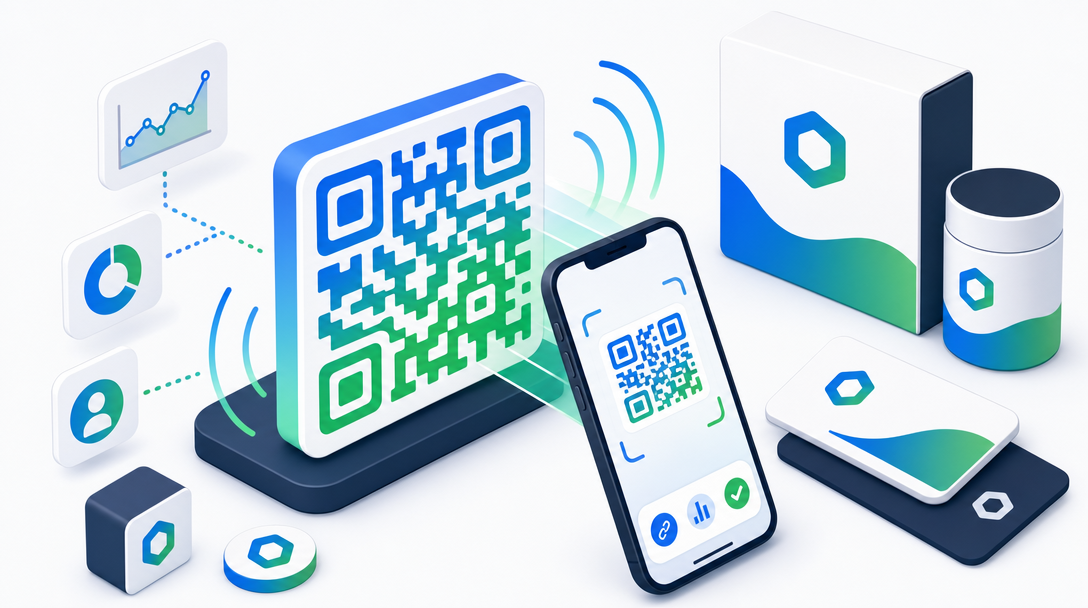
A dynamic QR code is a short URL in visual form. The pattern encodes a redirect link to a dashboard where you can update the final destination, track scans, and change settings without reprinting.
This distinction matters because 35% of marketers change their landing page URLs after a campaign launches, according to industry surveys. With static codes, that means wasted print materials and lost opportunities.
Step-by-Step: Create Your Free Dynamic QR Code
You can create a QR code free of charge with full dynamic functionality in five straightforward steps. The process requires no coding skills.
Step 1: Create Your Short Link
Start by shortening your target URL. Use any link shortener that supports QR code generation, like HitURL. Enter your long landing page URL and create a short link. This short link becomes the foundation of your dynamic QR code.
Why shorten first? The shorter the URL encoded in the QR code, the simpler the pattern. Simpler patterns are easier for smartphone cameras to read quickly, especially in low-light conditions or at a distance.
Step 2: Generate the QR Code
Navigate to the QR code generator in your chosen platform. With your short link selected, click "Generate QR Code" or the equivalent option. The system creates a standard black and white QR code image instantly.
At this stage, you already have a working dynamic QR code. The system links the visual pattern to your short link dashboard, where you control the destination.
Step 3: Customize the Design
This is where free tools often differ from premium ones. Look for these customization options to create a branded QR code.
- Colors: Change the foreground and background colors. Use your brand's primary and secondary colors.
- Gradient Styles: Apply color gradients to the foreground modules for a modern look.
- Logo Embedding: Upload your company logo to place in the center. The generator should maintain scannability by adjusting the pattern around the logo.
- Matrix Style: Choose between dots, squares, or rounded squares for the pattern modules.
- Eye Style: Customize the three positioning squares at the corners. Options include square, circle, or rounded square.
Branded QR codes with logos see up to 50% higher scan rates than plain black-and-white codes, according to multiple case studies. Customization builds trust and recognition.
Step 4: Download and Test
Download your QR code in high-resolution PNG or SVG format. SVG is vector-based and scales perfectly for large format printing like billboards or banners.
Before distributing, test the QR code with multiple smartphone cameras and QR reader apps. Ensure it scans quickly from various distances and angles. Test it printed on the actual material you plan to use, like matte business card stock or glossy brochure paper, as reflectivity can affect scannability.
Step 5: Track and Update
Your dynamic QR code connects to an analytics dashboard. Monitor total scans, scan locations by country or city, device types, and referral sources if you use UTM parameters.
Need to change the destination URL? Update it in your short link dashboard. Every future scan goes to the new location. No need to reprint physical materials.
8 Practical Use Cases for Dynamic QR Codes
Dynamic QR codes solve specific problems across industries. Here are eight applications where they deliver measurable value.
1. Business Cards
Add a QR code to your business card linking to your online portfolio, LinkedIn profile, or calendaring page. When you change jobs or update your portfolio, you can update the link without ordering new cards. For a complete guide, see our QR code business card guide.
2. Restaurant Menus
Place QR codes on tables linking to digital menus, specials pages, or loyalty program signups. Change the menu daily without reprinting table tents. We cover specific strategies in our restaurant menu QR code article.
3. Product Packaging
Print QR codes on product boxes linking to setup tutorials, warranty registration, or accessory stores. Update tutorial videos as products evolve without redesigning packaging.
4. Event Signage
Use QR codes on conference badges, venue maps, or session schedules linking to session feedback forms, presentation slides, or networking apps. Redirect to post-event content after the event concludes.
5. Print Ads
Magazine ads, billboards, and newspaper placements can include QR codes. Track which publications drive the most scans. A/B test landing pages by changing the destination for different ad variants. Learn more about QR codes in print marketing.
6. Retail Displays
In-store displays with QR codes can link to product demos, customer reviews, or how-to videos. Change the content seasonally or promote different products weekly.
7. Resumes
Job applicants include QR codes on resumes linking to video introductions, project portfolios, or GitHub profiles. Update the portfolio with new projects for each application.
8. Real Estate Flyers
Property flyers with QR codes link to virtual tours, neighborhood guides, or mortgage calculator tools. Update the link when the property sells to direct interested buyers to similar listings.
ISO/IEC 18004:2015 sets the international standard for QR code symbology, ensuring compatibility across devices and readers worldwide.
QR Code Best Practices Framework
Follow this four-part framework to ensure your QR codes perform reliably and deliver value.
1. Size and Placement
Make your QR code large enough to scan easily. Minimum size depends on viewing distance. For materials held in hand, 1x1 inch (2.5x2.5 cm) typically works. For posters viewed from 10 feet away, aim for at least 8x8 inches (20x20 cm).
Place QR codes in natural sightlines with adequate whitespace around them. Avoid folds, creases, or curved surfaces that distort the pattern.
2. Contrast and Scannability
Maintain high contrast between foreground and background colors. Dark on light works best. Avoid similar shades or busy backgrounds.
Test scannability after adding logos or custom shapes. Use the error correction built into QR codes strategically. Higher error correction allows more pattern obfuscation for branding but increases pattern density.
3. Call to Action
Always include a text instruction near the QR code. Tell people what they get by scanning. "Scan to view our menu" works better than just displaying the code alone. Include your brand logo within or beside the code for recognition.
4. Landing Page Optimization
The destination page must load quickly on mobile devices. Optimize images and minimize redirects. The page should deliver exactly what the QR code promises. Use URL shorteners with UTM parameters to track source campaigns.
Consider context. Someone scanning a QR code on a product package in a store likely has different intent than someone scanning a code on a resume at their desk.
Static vs. Dynamic QR Codes: Key Differences
Understanding when to use each type saves time and budget.
Static QR Codes encode the final URL directly. They are free to generate from many basic tools. Once created, the destination cannot change. They offer no analytics. Use them for permanent, one-time links where tracking doesn't matter, like linking to your company's permanent Wikipedia page.
Dynamic QR Codes encode a short redirect link to a dashboard. They typically require a platform like HitURL. You can change the destination anytime after creation. They provide detailed scan analytics. Use them for marketing campaigns, product packaging, events, or any situation where you might need to update the link later.
Dynamic QR codes maintain a constant visual pattern while allowing the destination URL, tracking parameters, and even the page title to change through a central dashboard.
Most business applications benefit from dynamic QR codes. The ability to fix typos in URLs, update expired offers, or track campaign performance outweighs the minimal cost difference.
Can I Create a Trackable QR Code for Free?
Yes, you can create a trackable QR code without paying. Platforms like HitURL offer free tiers that include QR code generation with basic analytics. You typically get scan counts, geographic data, and device information.
Free plans may limit the number of QR codes you can create or the depth of historical data. For most small businesses or personal projects, free tracking provides sufficient insight.
Start creating your first dynamic QR code free at hiturl.at. The process takes about two minutes, and you can download and use your code immediately.
FAQ: QR Code Questions Answered
Do QR codes expire?
QR codes themselves do not expire. The pattern remains scannable indefinitely if printed correctly. The destination URL, however, can break if the linked page moves or gets taken down. With dynamic QR codes, you can update the destination if a URL expires, keeping the printed code functional. Learn more about QR code expiration.
Can I change the destination after printing?
With dynamic QR codes, yes. The QR code pattern points to a short link that you control in a dashboard. Change the destination URL in your dashboard, and all future scans redirect to the new location. The printed code itself remains unchanged.
How many times can a QR code be scanned?
There is no technical limit to how many times a QR code can be scanned. The pattern doesn't degrade with use. Server capacity for tracking scans might have limits depending on your platform, but the code itself works indefinitely.
What's the smallest size for a scannable QR code?
The minimum size depends on print quality and scanning distance. For materials held in hand (like business cards), 0.8x0.8 inches (2x2 cm) at 300 DPI usually works. For distant scanning (like billboards), the code needs to be proportionally larger. Always test before mass printing.
Can QR codes work without internet?
Scanning requires a camera and a QR reader app, which most smartphones have. The scanned data (usually a URL) gets stored locally. Opening the URL requires an internet connection. You can encode plain text, contact information, or Wi-Fi credentials that don't need internet to be useful after scanning.
Next Steps: Create Your First Dynamic QR Code
You now know how to create a QR code free of the limitations of static generators. You understand the difference between static and dynamic codes, how to customize them for your brand, and where to use them effectively.
The process is straightforward. Create a short link, generate the QR code, customize its appearance, download the high-resolution file, and place it where your audience will see it. Monitor scans in your dashboard and update destinations as needed.
Start creating trackable, dynamic QR codes for your business cards, marketing materials, or products today. Visit HitURL's QR code generator to begin. The platform lets you create branded short links and corresponding QR codes with full analytics.
Start shortening links for free at hiturl.at. No credit card needed.