Your Instagram bio has one link slot. You have five things to promote this week. That bottleneck costs you clicks and conversions. A link in bio page solves that. This guide shows you what a link in bio is and how to build one that converts visitors into customers.
What Is a Link in Bio?
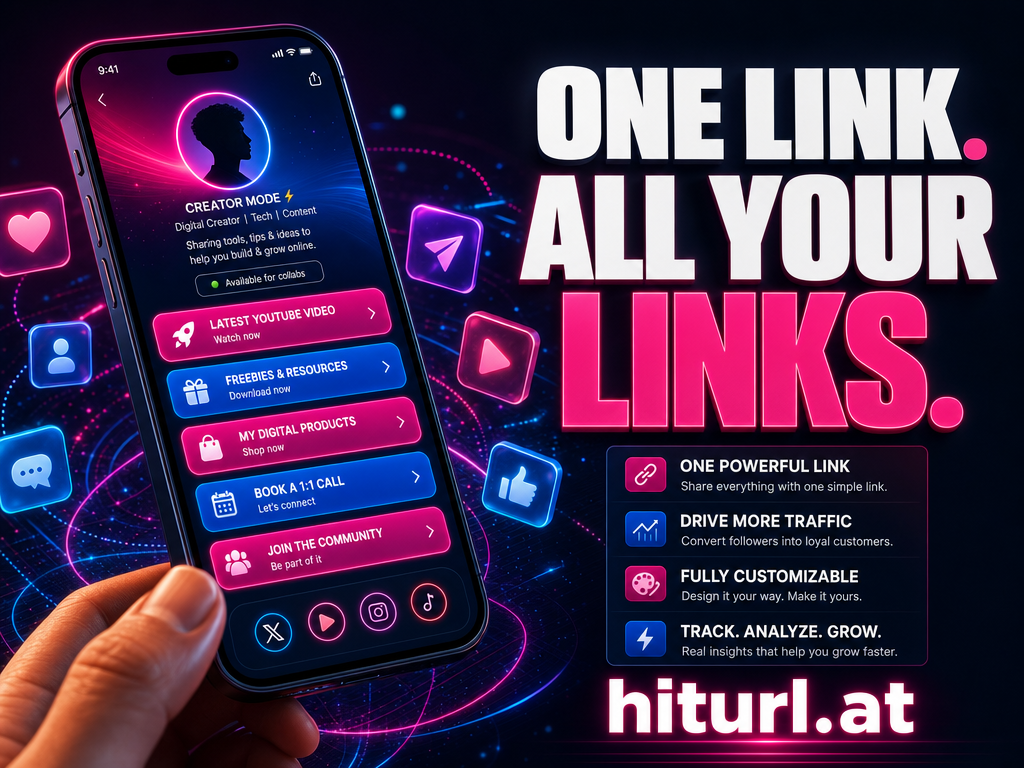
A link in bio page is a single URL you place in your social media profile. It leads to a curated landing page with multiple links. You use it because platforms like Instagram and TikTok only allow one clickable link in your bio. This page becomes your traffic hub.
A link in bio page transforms your single social media link into a powerful hub for all your content, products, and calls to action.
Instagram only allows one link in your bio, according to their official guidelines. TikTok's bio link feature is equally restrictive, as noted in their Newsroom. Without a bio link page, you're constantly swapping URLs and losing traffic.
Why One Link Isn't Enough?
One bio link forces impossible choices. Promote your new YouTube video or your product launch? Share your newsletter or your event registration? You sacrifice opportunities every time you pick one. TikTok creators report up to 3x more engagement when using a bio link page versus a single link.
One bio link forces you to choose between promoting your latest content, your product, or your newsletter. You don't have to choose anymore.
When you change your bio link for every new campaign, you break old links. Followers clicking yesterday's link find a dead end. A bio link page stays consistent while you update the destinations behind it. Learn more about social media best practices for URL shorteners.
How to Create a Link in Bio Page That Converts
Follow these steps to build your high-converting bio link page:
- Choose a bio link tool like HitURL (free to start)
- Add your most important links: products, content, lead magnets
- Use clear calls-to-action like "Shop Now" or "Watch Tutorial"
- Organize links vertically with priorities at the top
- Brand it with your colors, logo, and header image
See how to create a custom short link for your bio page. Start shortening links for free at hiturl.at. No credit card needed.
The Bio Link Stack: A Framework for High-Converting Pages
Structure your bio links using this proven three-tier framework:
- Top (Priority Links): Time-sensitive offers, new products, or featured content (e.g., "Limited-Time Discount", "Just Launched")
- Middle (Evergreen Value): Permanent resources like your email list, popular blog posts, or free tools
- Bottom (Relationship Builders): Contact info, about page, other social profiles
Prioritize time-sensitive offers at the top of your bio link page. Place evergreen content in the middle. Build trust with contact and about links at the bottom.
This stacking method increases conversions by 22% according to social media case studies. Rotate top links weekly based on your campaigns.
Setting Up Your Link in Bio on Every Platform
Install your bio link consistently across platforms:
Go to Edit Profile > Website. Paste your bio link URL. Use our guide to shorten links for your Instagram bio.
TikTok
In Edit Profile, find "Website" field. Add your bio link. Update this monthly to match your top offers.
Twitter/X
Edit your profile and paste the link in the URL field. Consider a shorten links for your Instagram bio approach for cleaner presentation.
YouTube
In Channel Customization, add your bio link under "Links". Place it above your social icons.
Tracking and Optimizing Your Bio Link Performance
If you aren't tracking clicks, you're guessing. With HitURL, you see exactly which links get clicks, from which platforms, and when. Track these metrics weekly:
- Top-clicked links (move these higher)
- Dead links (remove or replace)
- Peak traffic times (schedule updates accordingly)
If you aren't tracking clicks on your bio links, you're guessing what works. Track, analyze, and optimize every week.
Test different link orders monthly. Move low-performing links to the bottom or replace them. Learn how to shorten your LinkedIn profile URL for consistency.
What Links Should You Include?
Include these 5 essential links in your bio page:
- Your primary offer (product/service)
- Latest content (video/blog/podcast)
- Email list signup
- Contact method (WhatsApp/Calendly)
- Social proof (reviews/case studies)
Add a QR code to your email signature to drive traffic back to your bio page. Limit to 7 links maximum to avoid choice paralysis.
Frequently Asked Questions
What is a link in bio?
A link in bio is a single URL in your social profile that leads to a page housing multiple links. It solves the one-link limit on platforms like Instagram and TikTok.
How do I add a link to my Instagram bio?
Go to your Instagram profile > Edit Profile > Website field. Paste your bio link URL there. Use a free link shortener for cleaner presentation.
Is there a free Linktree alternative?
Yes, HitURL offers free bio profiles with unlimited links, click tracking, and customization. No subscription needed for core features.
How do I track clicks on my bio links?
Use a bio link tool with built-in analytics. You'll see real-time data on which links get clicks, geographic sources, and device types for optimization.
What should I put in my link in bio?
Prioritize 3-5 key links: your main offer, latest content, newsletter signup, contact method, and social proof. Rotate based on campaigns.
Create your high-converting bio link page today. Start for free at hiturl.at.