Your flash sale ends at midnight. But the link you blasted to 40,000 email subscribers keeps sending people to a page that no longer exists, or worse, a live checkout with a discount code that still works. Flash sales are one of the highest-converting tactics in e-commerce, but they break down fast when the link doesn't know the sale is over. Setting a short link expiry date solves this at the infrastructure level, before a single confused customer hits your inbox.
In this article you will learn exactly how time-locked redirect links work, why they matter for limited-time campaigns, and how to configure them so your promo URL automatically forwards to a "Sale Ended" page the moment a specific UTC timestamp passes.
Why a Short Link Expiry Date Is a Campaign Requirement, Not a Nice-to-Have
Most marketers treat link management as a one-time task: shorten the URL, drop it into the email, move on. That approach works fine for evergreen content. It falls apart the moment you attach a hard deadline to the offer.
Without an expiry condition, a flash sale link does one of two things after the sale ends. It either continues sending people to an active page that now shows wrong or missing pricing, or it hits a 404 because someone manually unpublished the promo page. Neither outcome is good for conversions, brand trust, or your support queue.
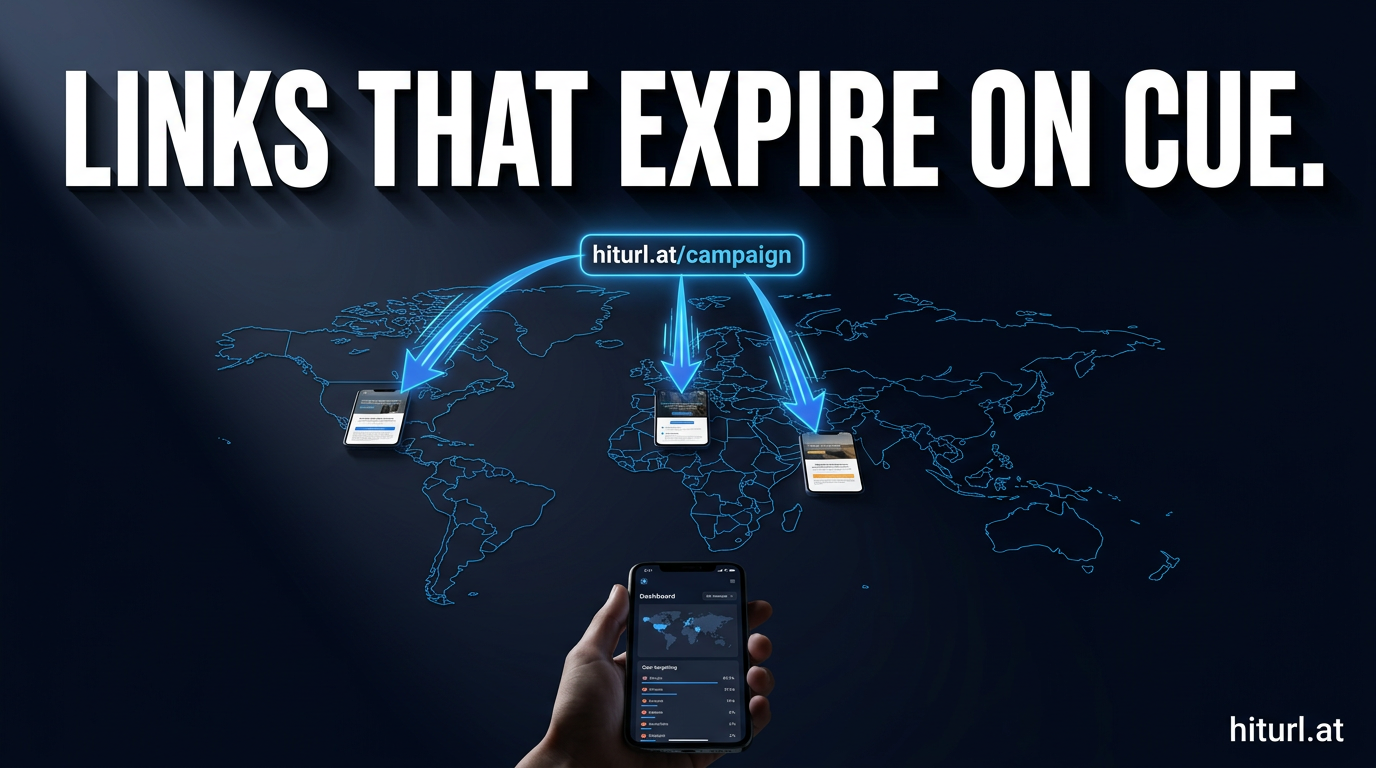
A time-locked redirect link is a short URL configured to forward traffic to one destination before a set timestamp and a different destination after it. The switch happens automatically, with no manual intervention required. This is the foundational mechanic behind any reliable flash sale link infrastructure.
The business case is direct. You protect revenue by preventing post-sale discount redemptions. You protect the customer experience by routing expired-link visitors to a clear, helpful message. And you protect your team from having to babysit a URL at 11:58 PM.
How Time-Locked Redirect Links Actually Work
A standard short link is a redirect wrapper. Someone clicks hiturl.at/summersale, the platform looks up the destination, and sends the visitor there. A time-locked version adds one layer: a conditional check against a timestamp before executing the redirect.
Here is the decision logic running behind every click:
- A visitor clicks the short link.
- The platform checks the current UTC time against the configured expiry timestamp.
- If the current time is before the expiry: redirect to the primary destination (your sale page).
- If the current time is at or after the expiry: redirect to the fallback destination (your "Sale Ended" page).
The key word in step 2 is UTC. Always set your expiry in Coordinated Universal Time, not your local timezone. A sale that ends at midnight Eastern Time (UTC-5) should be configured as 05:00 UTC the following day. Getting this wrong by even one hour can either kill the sale early or leave the discount live longer than intended.
Always configure your expiry timestamp in UTC. Timezone errors are the single most common cause of flash sale links expiring at the wrong moment. Convert your local end time to UTC before saving the configuration, and double-check it against a UTC clock before you publish.
How to Set an Expiry Date on a Short Link: Step-by-Step
The exact interface varies by platform, but the underlying steps are consistent across any link management tool that supports expiring short links.
- Create your short link with a custom alias. Something like
hiturl.at/flash48is far more scannable and trustworthy than a random string. If you need a refresher on how custom aliases work, this guide on creating short links with custom aliases walks through the full process. - Set the primary destination URL. This is your live flash sale landing page, including any UTM parameters you need for campaign tracking.
- Enable the expiry condition. In HitURL, this is the link expiry date field. Enter the exact UTC timestamp when the sale ends.
- Set the fallback (post-expiry) destination. This should be a purpose-built "Sale Ended" page, not your homepage. The page should acknowledge the sale is over, capture email signups for future deals, and offer a next-best action.
- Test both states. Before you publish, verify the live redirect works. Then temporarily set the expiry to one minute in the future, wait for it to trigger, and confirm the fallback destination loads correctly. Reset the expiry to the real timestamp afterward.
- Publish and distribute. The same link works across email, SMS, social, and QR codes. One URL, one configuration, zero manual switching required.
One often-missed step is building the fallback page in advance. Teams routinely configure the expiry but forget to create the "Sale Ended" destination. That page should go live before the campaign launches, even if it sits unpublished until the sale ends.
What Should Your "Sale Ended" Page Include?
The fallback page is not a dead end. It is a conversion opportunity for visitors who just missed out, and they are already warm because they clicked an offer link.
A strong post-expiry landing page includes four elements:
- A clear, honest headline. "This sale has ended" beats any attempt to soften the message. Ambiguity frustrates people.
- An email capture with a forward-looking hook. "Get early access to our next flash sale" converts well because the visitor is already self-identified as interested in your deals.
- A next-best offer. A smaller, always-on discount, a bestseller recommendation, or a free shipping threshold keeps purchase intent alive.
- Your retargeting pixel firing on this page. Visitors who land on the expired page are high-intent. Add them to a custom audience for your next campaign.
Visitors who click an expired flash sale link are among the highest-intent users you will ever retarget. They saw the offer, wanted it, and just missed the window. A well-configured fallback page with an email capture and a pixel fire turns a missed sale into a warm lead for your next campaign.
Where to Use Expiring Short Links in Your Campaign Stack
The short link expiry date feature is most powerful when the same link appears across multiple channels simultaneously. Here is where it fits in a typical flash sale campaign:
Email Marketing
Expiring links in email are the highest-stakes use case. Once a broadcast is sent, you cannot recall the link. A time-locked URL means the email stays accurate regardless of when someone opens it, whether that is 10 minutes or 10 days after you hit send. If you run email campaigns regularly, this guide on using URL shorteners in email marketing covers the broader strategy.
QR Codes in Physical Marketing
A dynamic QR code, one where the destination URL can be changed or expired after the code is printed, is essential for any in-store or printed flash sale promotion. With a static QR code, a printed flyer or shelf talker keeps sending people to a dead or wrong page forever. A dynamic QR code tied to a time-locked short link corrects itself automatically when the sale ends.
SMS and Push Notifications
SMS links cannot be edited after delivery. Character limits also mean raw URLs are unusable. A short, expiring link solves both problems at once: it fits in the message and it self-manages after the deadline.
Affiliate and Partner Links
If you are running a flash sale through affiliate partners, you want the same control over their links that you have over your own. A single expiring short link distributed to affiliates ensures every partner's traffic hits the right destination at the right time. The article on URL shorteners for affiliate marketing explains how to structure this across a partner network.
Ready to see this in action? See how HitURL tracks every click, fires your pixels, and generates QR codes — free at hiturl.at.
Is It Possible to Set Both a Start Date and an End Date?
Yes. Many link management platforms, including HitURL, support a scheduled activation window: the link only becomes active between two timestamps. Before the start date, the link can redirect to a "Coming Soon" page. After the end date, it redirects to the "Sale Ended" page.
This is useful for coordinated campaigns where you want to lock the link destination before the campaign goes live, distribute the URL in advance to partners and internal teams, and have everything activate simultaneously at the scheduled start time.
The logic follows what marketers sometimes call The Activation Window Method: define three states for every campaign link (pre-sale, active, post-sale) and configure a destination for each state before any distribution happens. Running this process during campaign setup rather than mid-flight eliminates last-minute scrambles and reduces the risk of human error under time pressure.
How to Track Performance on a Flash Sale Expiring URL
An expiring short link should also be a tracked short link. Every click on your flash sale URL is a data point: how many people clicked before the sale ended, how many hit the fallback page, which channels drove the most urgency-driven clicks, and what your conversion rate looked like at different points during the sale window.
The minimum tracking setup for a flash sale link includes:
- UTM parameters on the destination URL so your analytics platform attributes the traffic correctly.
- Click tracking on the short link itself to capture total engagement regardless of whether the destination URL tracking fires correctly.
- A retargeting pixel on both the sale page and the fallback page. Segment these two audiences separately: active sale clickers and missed-sale visitors require different follow-up messaging.
If you want a structured approach to building out UTM parameters and pixel configurations for campaigns like this, the HitURL link shortener handles UTM tagging, click analytics, and retargeting pixel attachment inside the same link creation workflow.
Tracking clicks on both states of a time-locked link, before and after expiry, gives you two distinct audience segments with completely different purchase intent profiles. Pre-expiry clickers converted or abandoned. Post-expiry clickers missed the window but are still warm. Each group deserves a different follow-up sequence.
Common Mistakes to Avoid with Flash Sale Link Expiry
Even experienced marketers make the same errors when running expiring link campaigns for the first time.
Mistake 1: No Fallback URL Configured
If you set an expiry but leave the fallback destination blank, most platforms will either throw an error or land visitors on a generic 404. Always configure the fallback before publishing.
Mistake 2: Setting Expiry in Local Time
Covered earlier, but worth repeating: always use UTC. One timezone conversion error can leave a 20% discount code live for an extra five hours.
Mistake 3: Not Testing the Expiry Before Launch
Set a test expiry one minute in the future. Confirm the fallback fires. Reset. This takes three minutes and prevents a major campaign failure.
Mistake 4: Using the Same Link for Multiple Channels Without Segmentation
If the same short link goes into email, SMS, and Instagram bio, you lose channel-level attribution. Create one expiring link per channel, all pointing to the same destination, so you know which channel drove urgency-driven clicks most effectively.
Mistake 5: Forgetting the QR Code Implication
If your flash sale link is also embedded in a QR code on printed materials, confirm you are using a dynamic QR code. A static QR code encodes the destination URL directly, bypassing your redirect logic entirely, which means the expiry condition never applies.
Frequently Asked Questions
What is a short link expiry date?
A short link expiry date is a timestamp you configure on a redirect link so that it automatically changes its destination after a set date and time. Before the expiry, visitors reach your primary destination. After the expiry, they are redirected to a fallback URL you specify, such as a "Sale Ended" page.
Can I set a short link to expire at a specific time, not just a date?
Yes. Most link management platforms that support expiring links let you set the expiry to a specific date and time, including hours and minutes, usually in UTC. This is essential for flash sales where the end time is precise, such as midnight or the end of a business day.
What happens to QR codes when a short link expires?
If the QR code encodes the short link URL (a dynamic QR code), the expiry applies normally: the code redirects to the fallback destination after the timestamp passes. If the QR code encodes the final destination URL directly (a static QR code), the expiry condition does not apply. Always use dynamic QR codes for time-limited campaigns.
Do I need a paid plan to use link expiry features?
It depends on the platform. HitURL offers a free tier to start, and you can check which features are included at hiturl.at. Expiry conditions and fallback URLs are part of the advanced link management feature set.
Can I reuse an expiring short link for a future sale?
Yes. After a campaign ends, you can update the primary destination, set a new expiry timestamp, and configure a new fallback URL. The short link alias stays the same, which is useful if the URL is already printed on materials or widely distributed. This is one of the core advantages of using a redirect wrapper rather than a direct link.
A flash sale lives or dies on urgency. Your link infrastructure should reinforce that urgency, not undermine it by staying live after the offer is gone. Configure your short link expiry date before the campaign launches, test both states, build a fallback page that captures the missed-sale visitors, and let the redirect do the work.
See how HitURL tracks every click, fires your pixels, and generates QR codes — free at hiturl.at. No credit card needed.