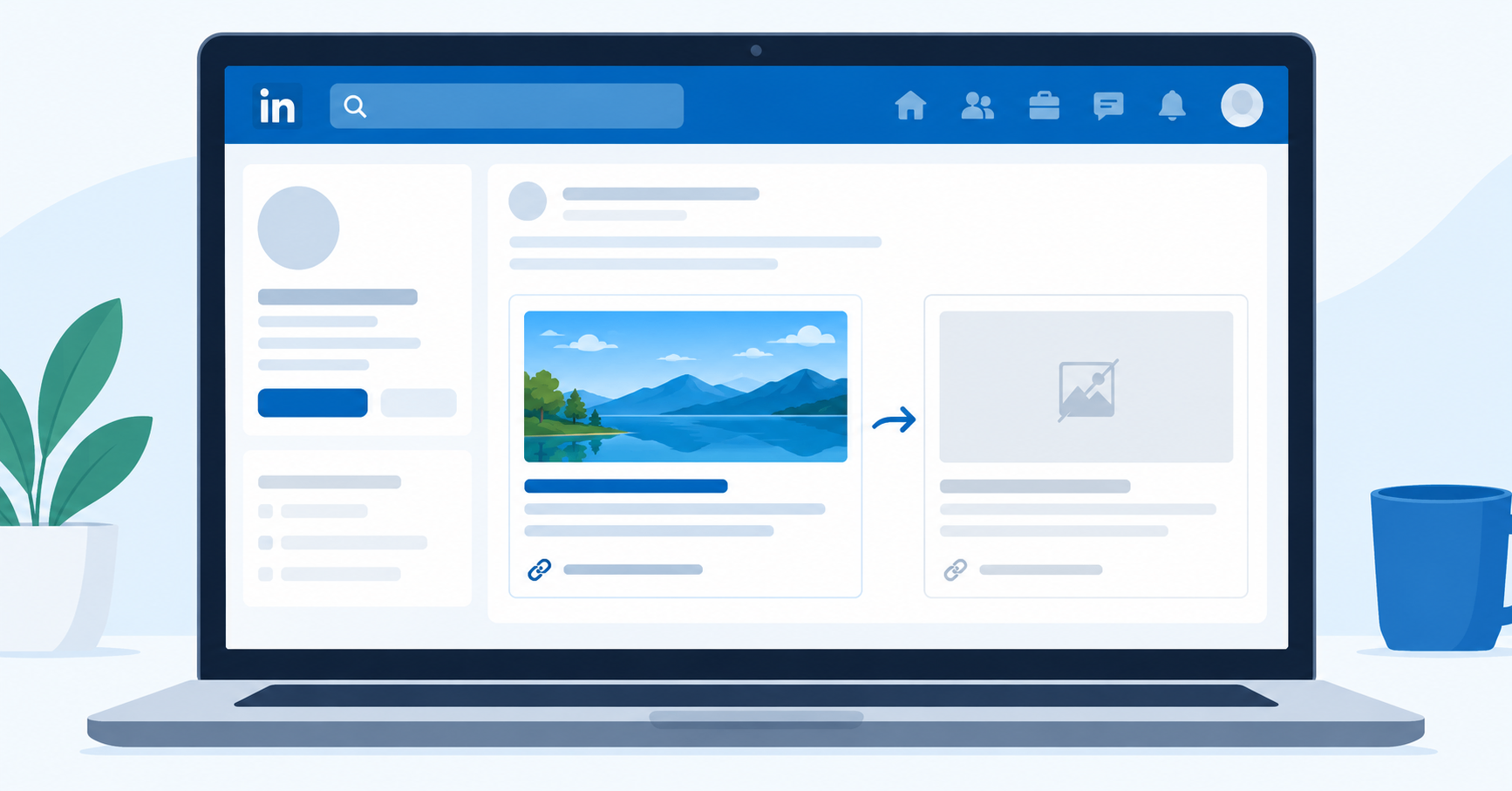
You add a portfolio link to your LinkedIn featured section and the preview card comes back blank. No image, no description, sometimes not even a title. It looks unprofessional, and worse, it kills clicks before anyone reads a word. The LinkedIn featured section link preview problem is more common than most professionals realize, and it is almost always caused by missing or malformed OpenGraph metadata on the destination page.
This guide shows you exactly why previews break, how to diagnose the root cause, and how to take full control of the metadata LinkedIn reads so your featured links always look sharp.
Why LinkedIn Featured Section Link Previews Break
LinkedIn builds its preview cards by reading OpenGraph (OG) meta tags — a standardized protocol defined at ogp.me — embedded in the HTML of the page you link to. When those tags are absent, incomplete, or point to images that fail LinkedIn's size requirements, the card either renders blank or shows a generic placeholder.
The three most common failure modes are:
- Missing OG tags entirely. Many portfolio builders, PDF hosting services, and older CMS themes never add OpenGraph markup. LinkedIn has nothing to read.
- Wrong image dimensions. LinkedIn requires preview images to be at least 1200 x 627 pixels. Smaller images are rejected silently.
- Crawl blocks. Some sites block LinkedIn's crawler (user agent:
LinkedInBot) throughrobots.txtor Cloudflare bot-protection rules, so LinkedIn never sees the metadata at all.
LinkedIn builds featured section preview cards by reading
og:title,og:description,og:image, andog:urlfrom the destination page. If any of these tags are missing or malformed, the card renders blank — regardless of how well-designed the underlying page is.
How to Diagnose a Broken LinkedIn Link Preview
Before you fix anything, confirm exactly which tag is missing. LinkedIn provides a Post Inspector tool that lets you paste any URL and see what metadata LinkedIn currently reads from it. Use it first. It tells you which OG tags are present, which are missing, and whether the crawler was blocked.
Run through this checklist on your page:
- Open the LinkedIn Post Inspector and enter your URL.
- Check that
og:title,og:description,og:image, andog:urlall return values. - Verify your
og:imageis at least 1200 x 627 px and hosted on HTTPS. - Confirm
LinkedInBotis not blocked in yourrobots.txtor firewall settings. - If tags exist but the preview still looks wrong, click "Re-scrape" in the Inspector to force LinkedIn to refresh its cached version.
If the Inspector shows all four tags populated correctly and the preview still breaks inside the Featured section specifically, the issue is likely a caching artifact. LinkedIn caches OG data aggressively. Re-scraping through the Inspector is the fastest way to bust that cache.
What If You Cannot Edit the Destination Page?
This is where most people get stuck. Your portfolio is hosted on Behance, Notion, a third-party booking platform, or a service where you have zero access to the HTML head. You cannot add OG tags. You cannot change the image. The platform just does not support it.
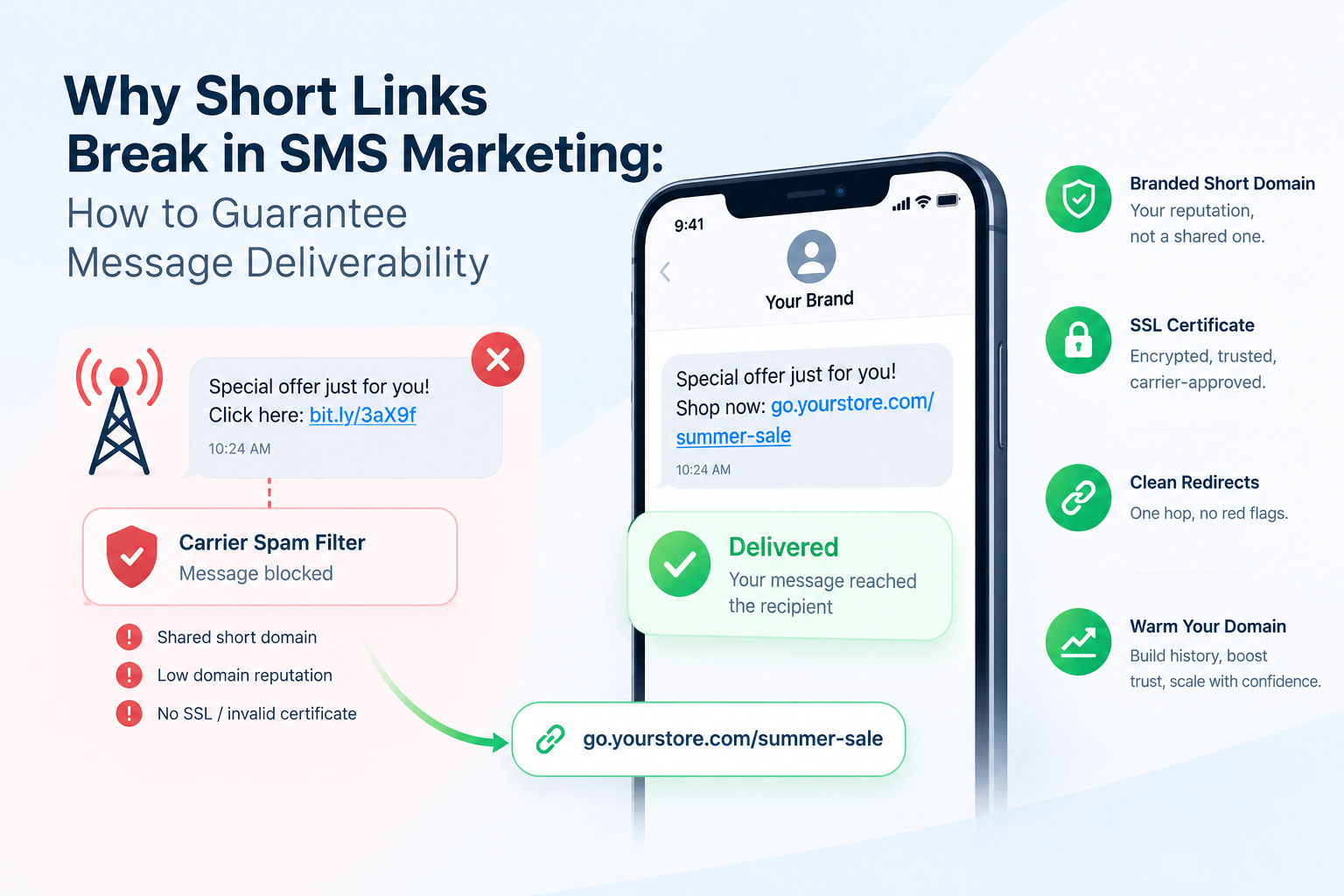
The practical solution is to wrap your destination URL in a redirect layer that serves its own OpenGraph metadata to LinkedIn's crawler before forwarding visitors to your actual page.
When you cannot edit a destination page's metadata, wrapping the link in a short URL that serves its own OpenGraph tags gives you full control over what LinkedIn reads. The visitor still lands on the original page; LinkedIn reads the metadata you chose.
This approach works because LinkedIn's crawler reads the OG tags from the first URL it hits. If your short link serves a proper og:image and og:title, that is what populates the preview card, regardless of what the final destination page has.
How HitURL Overrides OpenGraph Metadata for LinkedIn
HitURL creates a branded short link that sits between LinkedIn and your destination URL. When LinkedIn's crawler fetches the short link, it reads the OG metadata you configured in HitURL's dashboard, not the broken or missing tags on the destination page.
Here is the exact process:
- Go to HitURL's link shortener and paste your destination URL.
- In the link settings, upload a preview image (1200 x 627 px minimum) and write a custom
og:titleandog:description. - Optionally set a custom alias so the link reads as
hiturl.at/your-name-portfolio. - Save the link and paste the HitURL short link into your LinkedIn Featured section.
- Run the new short link through LinkedIn's Post Inspector to confirm the preview card populates correctly.
The visitor experience is unaffected. They click the card, pass through the redirect in milliseconds, and land on your portfolio, Notion page, booking calendar, or wherever you sent them. You get a professional-looking preview card and full click analytics on every visit.
If you are building out a complete LinkedIn presence strategy, the guide on using short links on your LinkedIn profile covers additional placements beyond the Featured section where branded links make a measurable difference.
See how HitURL tracks every click, fires your pixels, and generates QR codes — free at hiturl.at.
Writing OpenGraph Tags That Actually Drive Clicks
Fixing a broken preview is the floor. Writing metadata that drives clicks is the ceiling. The two are separate skills.
Use this framework, called The Preview Card Stack, when writing OG tags for any link you add to LinkedIn:
- og:title (60 characters max): Name the specific outcome or deliverable, not the page type. "UX Case Study: 40% Checkout Lift for a SaaS Startup" outperforms "My Portfolio".
- og:description (155 characters max): Address the reader's question directly. What will they see if they click? What problem does it answer for them?
- og:image: Use a real, contextual image: a project mockup, a chart, a photo of you presenting. Solid-color branded tiles with a logo perform poorly against imagery with faces or data.
- og:url: Set this to the canonical version of the page you want indexed.
According to research published by LinkedIn's own help documentation, posts with rich media previews consistently drive higher engagement rates than text-only or broken-preview posts. A well-configured OG image is not cosmetic; it is a click-rate variable.
Does LinkedIn Cache Old Preview Data?
Yes. LinkedIn caches OpenGraph data for every URL it has previously crawled. This means updating your OG tags on the destination page does not instantly fix a broken preview in the Featured section.
After making any metadata changes, paste the URL into the LinkedIn Post Inspector and click the "Re-scrape" button. LinkedIn will re-crawl the URL and update its cache within a few minutes. If you used a HitURL short link and updated the metadata there, run the short link through the Inspector, not the original destination URL.
One important note: LinkedIn's Featured section sometimes caches the preview separately from post-level previews. If re-scraping a link in the Inspector does not update the Featured card within 24 hours, remove the link from the Featured section entirely, wait a few minutes, then re-add it. That forces a fresh fetch.
How Are Short Links Better Than Long Portfolio URLs for LinkedIn?
Short links solve several problems at once for LinkedIn profiles. Long URLs with tracking parameters, session tokens, or CMS slugs look cluttered and erode trust. A branded short link is scannable, memorable, and conveys professionalism before anyone even clicks.
A branded short link on a LinkedIn profile or Featured section does three things simultaneously: it looks credible, it lets you change the destination without updating every place you shared the link, and it gives you click data that raw long URLs never provide.
Beyond aesthetics, short links let you update the destination URL at any time without touching the link itself. If your portfolio moves to a new domain or your booking platform changes, you update the destination in HitURL and every place you shared the link automatically points to the right page.
For more on how branded links perform across social platforms, the post on URL shortener best practices for social media covers the data on click-through rates and trust signals in detail. And if you want your short links to carry a custom domain instead of hiturl.at, see the guide on setting up a branded short link with a custom domain.
Retargeting and Analytics: The Hidden Benefit of Wrapped Links
Fixing the preview is the visible benefit. The analytics layer is the strategic one.
Every time someone clicks your HitURL short link from the LinkedIn Featured section, you get a timestamped click record showing the referrer, device type, country, and browser. If you add a retargeting pixel to the link, such as a LinkedIn Insight Tag or Facebook Pixel, the click fires the pixel and adds that visitor to your retargeting audience automatically.
This means the professionals clicking your portfolio on LinkedIn can later see your ads as they browse other platforms, without any additional setup on your part beyond adding the pixel ID once in HitURL's dashboard. For a portfolio owner, a consultant, or a freelancer, this turns a passive Featured section into an active audience-building channel.
Frequently Asked Questions
Why is my LinkedIn featured section showing a blank preview?
The destination page is missing OpenGraph meta tags, or the og:image does not meet LinkedIn's minimum size requirement of 1200 x 627 pixels. Use the LinkedIn Post Inspector to confirm which tags are absent, then add them directly to the page or wrap the URL in a short link that serves its own metadata.
How do I force LinkedIn to update a cached link preview?
Paste the URL into the LinkedIn Post Inspector and click "Re-scrape". This forces LinkedIn to fetch fresh metadata and replace its cached version. For Featured section cards specifically, removing and re-adding the link also clears the cache.
Can I fix a broken preview on a page I do not own?
Yes. Wrap the destination URL in a short link that serves its own OpenGraph tags. LinkedIn reads the metadata from the first URL it crawls. If your short link has complete OG tags, the preview card populates correctly regardless of the destination page's metadata.
What image size does LinkedIn require for link preview cards?
LinkedIn recommends a minimum of 1200 x 627 pixels for OG images. Images smaller than this are often rejected and result in a blank or cropped preview. Always host the image on HTTPS to avoid mixed-content blocks.
Does using a short link hurt SEO or LinkedIn reach?
No. LinkedIn does not penalize short links in the Featured section. For SEO purposes, the short link passes visitors through a redirect to the canonical destination; it does not affect the indexability of the final page. Click analytics and retargeting pixels fire on the redirect, before the visitor reaches the destination.
The Fix Is One Link Away
A broken LinkedIn featured section link preview is a fixable problem in most cases in under ten minutes. Diagnose with the Post Inspector, patch the metadata at the source if you can, or wrap the link if you cannot. Then write OG copy that earns the click, not metadata that describes a page.
The professionals who treat their LinkedIn featured links as a managed asset, with clean previews, real analytics, and retargeting pixels firing on every visit, get measurably more out of the same profile real estate than those who paste raw URLs and hope for the best.
See how HitURL tracks every click, fires your pixels, and generates QR codes — free at hiturl.at. No credit card needed.