

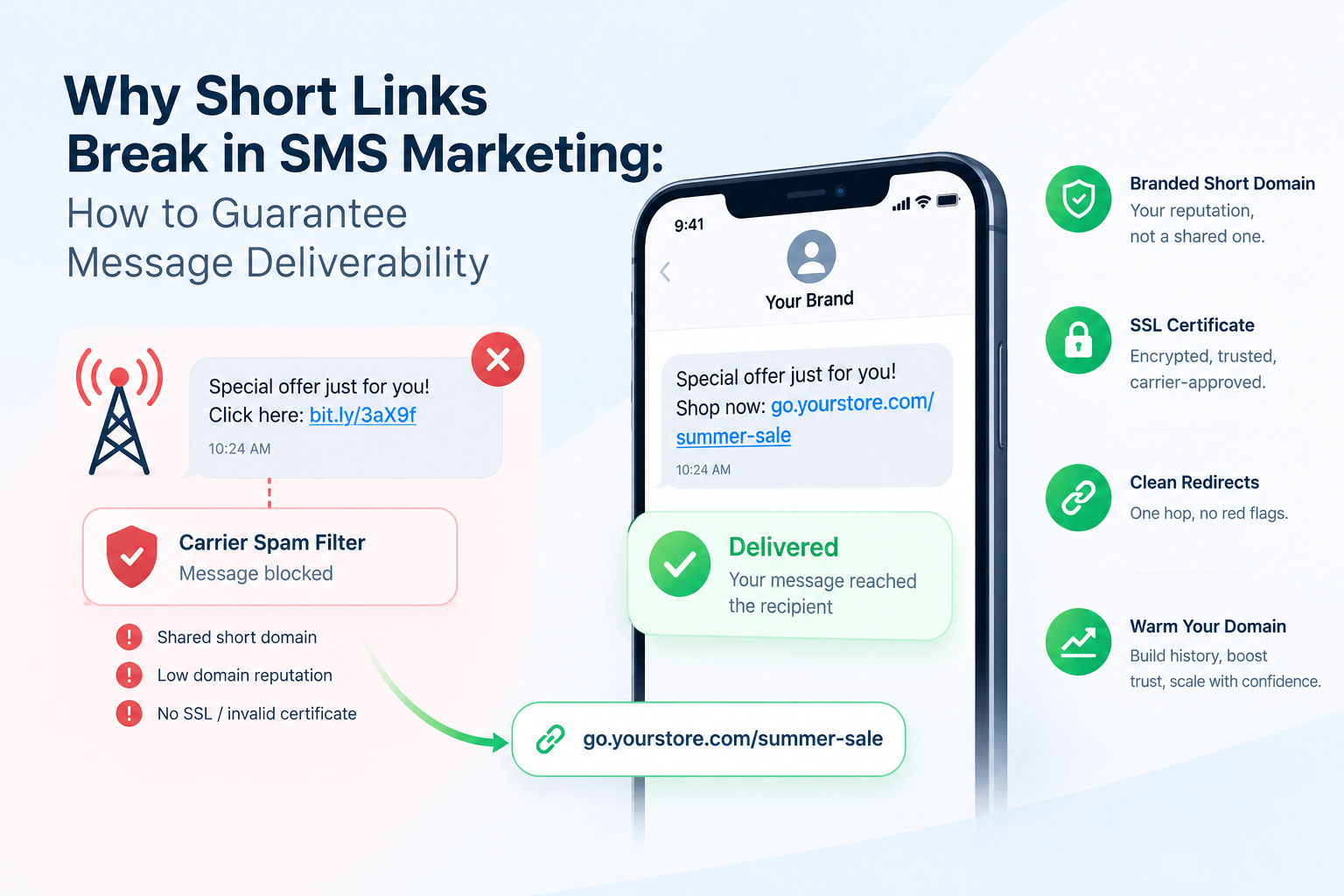
Your SMS campaign launched. Open rates should be through the roof. But your click data is a flatline, and your carrier report shows thousands of undelivered messages. The culprit is almost always the short link sitting in your message body. SMS short link deliverability is one of the most overlooked problems in mobile marketing, and it kills campaigns that would otherwise perform.
This guide breaks down exactly why carriers block short links, what signals trigger their spam filters, and how to build a link setup that survives every carrier gate between your platform and your subscriber's screen.
How SMS Carrier Spam Filters Actually Work
SMS carriers, including AT&T, Verizon, T-Mobile, and their aggregator networks, scan every outbound message before delivery. They are not reading your copy. They are pattern-matching against known abuse signals: message velocity, sender reputation, and the domains embedded in your links.
Carrier filtering is not passive. The CTIA Messaging Principles and Best Practices framework explicitly requires operators to block traffic that exhibits spam-like behavior, and shared short domains are among the highest-risk signals a message can carry.
Carrier spam filters treat shared short domains as high-risk by default. If thousands of senders, some legitimate and some not, use the same root domain, every message carrying that domain inherits the worst reputation in the pool. A single bad actor can blacklist an entire domain overnight.
The filter does not know you are running a legitimate e-commerce promotion. It sees a domain flagged by prior abuse and silently drops your message. No bounce notification. No error code. Just silence.
Why Shared Short Domains Get Blocked in SMS Marketing
Public URL shortener domains like generic bit.ly-style links carry shared reputation. Thousands of users across every industry, including spammers and phishing operators, send traffic through the same root domain. Carriers aggregate complaint data, click-fraud signals, and reported abuse across all traffic on that domain.
When one sender abuses the shared domain, the domain's reputation score drops for everyone. This is the core of the shared domain problem, and it is why major SMS platforms and carrier guidelines increasingly require senders to use dedicated sending domains.
You do not get to inherit a clean reputation from a shared domain. You inherit the combined reputation of every sender who has ever used it. In SMS, that means your deliverability is only as strong as the worst actor on the platform.
According to Twilio's SMS Best Practices documentation, including shortened URLs from generic free shorteners is a known factor that increases the likelihood of carrier filtering. The recommendation is to use branded, registered domains wherever possible.
What Is a Branded Short Domain and Why Does It Matter for SMS?
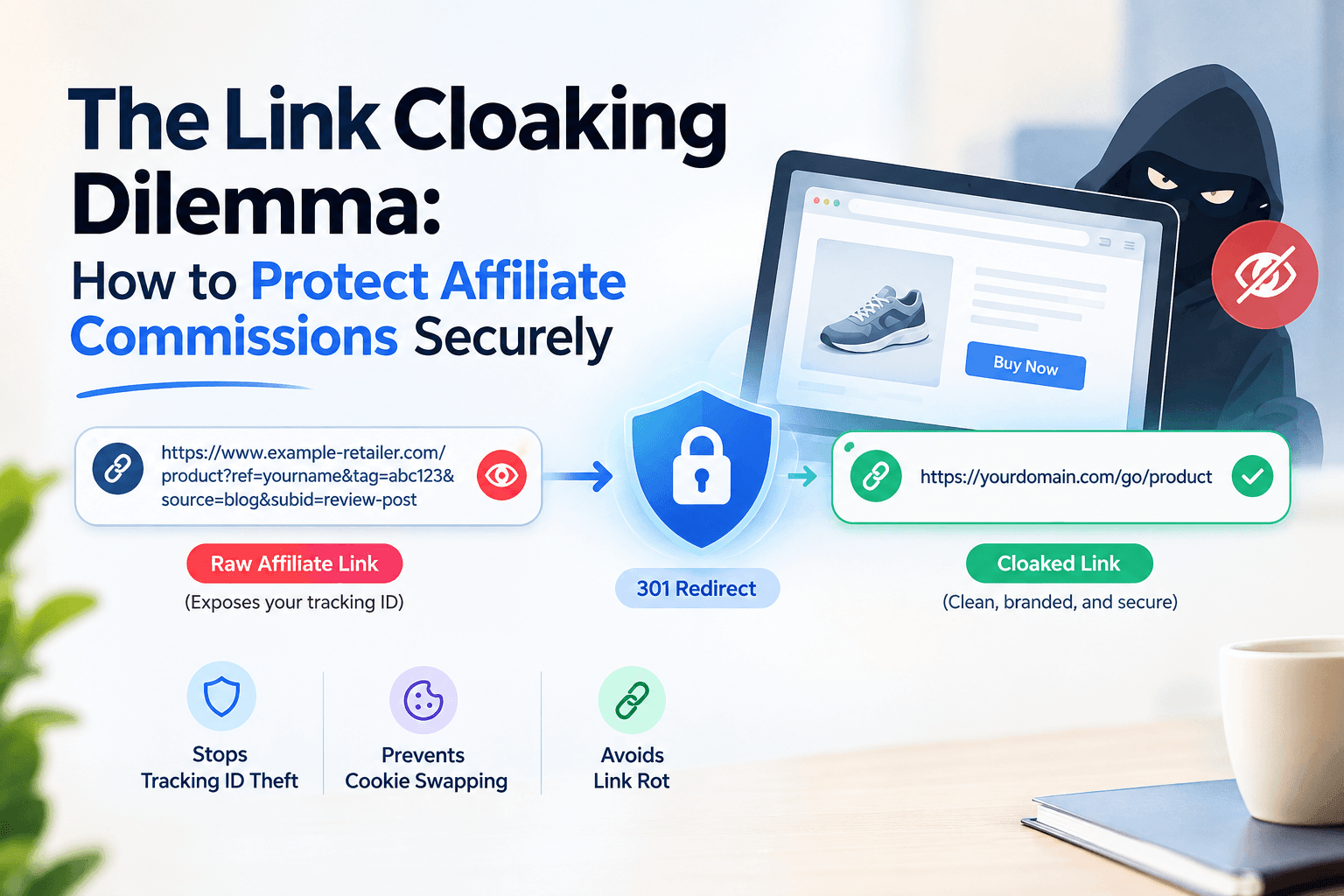
A branded short domain is a custom subdomain or short domain that belongs exclusively to your brand. Instead of a generic shared root, your links carry your own domain: something like go.yourbrand.com or link.yourstore.com. No other sender shares that domain's reputation history.
This matters for SMS deliverability for three concrete reasons. First, your domain reputation is entirely your own to build and protect. Second, carriers can verify SSL certificates and WHOIS registration tied to a real business entity. Third, subscribers recognize your brand in the link preview, which reduces spam reports from your own audience.
If you want to understand the full mechanics of setting up a branded short link, the complete guide to branded short links and custom domains covers every step from DNS configuration to first link creation.
Does SSL Certification Affect SMS Short Link Deliverability?
Yes. SSL certification is a baseline trust signal that carrier filters and mobile browsers check before resolving a short link. An HTTP link in an SMS message is treated as inherently suspicious by modern Android and iOS environments, and some carriers hard-block non-HTTPS URLs outright.
SSL alone does not guarantee delivery, but its absence almost guarantees problems. Every short link you send in an SMS campaign must resolve over HTTPS, and the SSL certificate must be valid, not expired, not self-signed. Carriers check this at the network level, not after delivery.
An expired or missing SSL certificate on a short domain is one of the fastest paths to carrier-level blocking. It signals to automated filters that the domain is either abandoned, fraudulent, or technically unmanaged. Any of those three interpretations results in the same outcome: your message does not arrive.
The Four Signals That Trigger SMS Carrier Filters
Understanding the full picture means knowing all the signals carriers evaluate together. No single factor always triggers a block, but combining several of them almost always does.
- Shared root domain with abuse history: The most common trigger. Using any domain that has been associated with spam, phishing, or high complaint rates at scale.
- No SSL or invalid certificate: HTTP links or HTTPS links with certificate errors are flagged immediately.
- Link redirect chain depth: Some carriers count redirect hops. A link that redirects three or four times before reaching a destination raises a flag. Keep redirect chains short: one hop maximum from the short URL to the final destination.
- Domain age and registration gaps: Newly registered domains with no traffic history are treated as high-risk. A branded domain you have been using consistently for months carries far more trust than a fresh domain registered the same week as your campaign.
- Mismatch between sender ID and link domain: If your business name appears in the sender field but the link domain has no relationship to that business, automated filters flag the inconsistency.
The same logic applies to email deliverability. If you want to see how these principles translate across channels, the article on using a custom domain shortener for cold email deliverability covers the overlap in detail.
How to Build an SMS-Safe Short Link Setup: The Verified Domain Method
This is the practical framework for getting your links through carrier filters consistently. Call it The Verified Domain Method: a four-step process that separates senders who land from senders who get dropped.
Step 1: Register a Dedicated Short Subdomain
Choose a subdomain tied to your primary brand domain. If your site is yourstore.com, your short domain becomes go.yourstore.com or s.yourstore.com. Keep it short, recognizable, and consistent across every channel.
Step 2: Configure DNS and Force HTTPS
Point your subdomain's CNAME record to your link management platform. Confirm SSL is provisioned automatically and verify the certificate resolves correctly before sending a single message. This step takes under ten minutes but is the one most teams skip when launching fast.
Step 3: Create Links With a Consistent Alias Pattern
Random character strings in link slugs look like spam. A link like go.yourstore.com/summer-sale reads as intentional and branded. Use custom aliases when shortening URLs so every link you send carries a recognizable, human-readable path.
Step 4: Warm the Domain Before High-Volume Sends
Send small batches first: a few hundred messages per day for the first week. Build a click history and a clean reputation on your domain before scaling to tens of thousands of messages. Carriers score new domains differently than established ones, and warming gives your domain the traffic history it needs to pass automated filters.
See how HitURL tracks every click, fires your pixels, and generates QR codes, free at hiturl.at.
Does Using a Custom Short Link Also Improve Email and Cross-Channel Campaigns?
Yes. The trust signals that protect your links in SMS translate directly to email and social channels. A branded short domain improves deliverability across every outbound channel because domain reputation is cumulative: the more consistently clean traffic your domain serves, the stronger its standing with every filter system that checks it.
For teams running both SMS and email campaigns from the same brand, maintaining a single branded short domain across both channels compounds the reputation benefit. The full guide to URL shorteners in email marketing explains how the same domain setup protects your email send rates alongside your SMS campaigns.
A single branded short domain used consistently across SMS, email, and paid social builds compounding trust with every filter system that evaluates it. The domain becomes an asset. A shared public shortener is always a liability you do not control.
Setting Up Your Branded Short Domain on HitURL
HitURL lets you connect your own custom domain and create branded short links that carry your domain's reputation, not a shared pool. Every link you create through HitURL tracks clicks by geography, device type, and referral source. You can fire retargeting pixels on every click, including Facebook, Google, LinkedIn, and Twitter pixels, without touching the destination page's code.
For SMS campaigns specifically, the combination of a custom short domain, a human-readable alias, and click-level tracking gives you both deliverability protection and the data you need to optimize future sends. You can create your first branded short link without a credit card, and the free tier includes custom domain support so there is no cost barrier to starting with a clean setup.
If you are comparing options for branded domain shorteners, the breakdown of branded short links versus generic shorteners is the clearest starting point for understanding what you are giving up by staying on a shared domain.
Frequently Asked Questions
Why do short links get blocked in SMS marketing?
Carriers block short links when they detect the link's domain has a history of abuse, spam complaints, or phishing activity. Shared public shortener domains are especially vulnerable because any bad actor using the same domain can damage the reputation for all senders on it.
Does using a branded domain guarantee SMS deliverability?
A branded domain removes the shared reputation risk and gives you full control over your domain's standing. It does not override other blocking factors like illegal content, missing opt-in compliance, or A2P 10DLC registration issues, but it eliminates the most common link-related cause of carrier filtering.
What is A2P 10DLC and how does it relate to short links?
A2P 10DLC (Application-to-Person 10-Digit Long Code) is the carrier registration system in the United States that verifies business SMS senders. Registering your campaign through 10DLC reduces filtering risk overall, but even registered senders get filtered if their links carry flagged domains. Domain quality and 10DLC registration work together, not independently.
How many redirects should an SMS short link have?
Keep it to one redirect. Your short URL should resolve directly to the final destination in a single hop. Each additional redirect adds latency, increases the chance of a carrier-level block, and creates a worse experience on mobile where connection speeds vary.
Can I use the same short domain for SMS and email campaigns?
Yes, and it is recommended. A single branded short domain used consistently across both channels builds a unified reputation that benefits deliverability on both. Separating your SMS links onto a completely different domain from your email links means building two reputations from scratch instead of one strong one.
Fix Your Links Before Your Next Send
Every SMS campaign you send through a shared generic shortener is a bet that no other sender on that domain has poisoned the reputation before your messages go out. That is not a bet worth taking when the fix is straightforward.
Switch to a branded custom subdomain, configure SSL, use readable aliases, and warm the domain before scaling. Those four steps solve the most common cause of SMS short link blocking before it costs you a campaign.
See how HitURL link shortner tracks every click, fires your pixels, and generates QR codes, free at hiturl.at. No credit card needed to get started.