Long UTM URLs are killing your click-through rates. A link like utm_source=instagram&utm_medium=paid&utm_campaign=summer_launch&utm_content=story_v2 appended to your destination URL turns a clean post into a wall of text. And yet, if you want to track link clicks with a URL shortener and actually know what is driving your conversions, UTM parameters are non-negotiable.
This guide walks you through the complete process: building UTM parameters correctly, shortening them without losing data, reading your click analytics, and applying the UTM Stack Method to any campaign you run.
What Are UTM Parameters and Why Do They Matter?
UTM parameters are small text tags you add to the end of any URL. When someone clicks that link, Google Analytics reads those tags and attributes the session to the correct traffic source, medium, and campaign.
There are five standard UTM parameters:
- utm_source: Where the traffic comes from (e.g., instagram, newsletter, google)
- utm_medium: The marketing channel (e.g., paid, email, organic)
- utm_campaign: The specific campaign name (e.g., summer_launch_2025)
- utm_content: The specific ad or link variation (e.g., story_v2, cta_button)
- utm_term: The keyword, used primarily for paid search campaigns
Google's official documentation on setting up UTM parameters in Google Analytics explains how each tag flows into your reports. Without them, your analytics dashboard lumps everything into "Direct" traffic, and you lose the ability to compare what is actually working.
UTM parameters are the foundation of attribution. Without them, you cannot tell whether a conversion came from a paid Instagram story, an organic tweet, or a link in your email footer. They are not optional if you want accurate campaign data.
Why Raw UTM URLs Need a URL Shortener
A fully tagged campaign URL can exceed 200 characters. That creates real problems in the places you need links most.
On Instagram, you cannot include a clickable link in a post caption at all, so every character in your bio link counts. On Twitter (X), long URLs consume precious character space. In SMS campaigns, raw URLs look like phishing attempts. And in print or QR code contexts, an unshortened UTM URL is functionally useless.
Beyond length, there is a trust problem. Audiences are more likely to click a branded short link than a string of tracking parameters they do not recognize. A clean link signals professionalism. A raw UTM string signals that you forgot to tidy up before publishing.
Shortening a UTM-tagged URL does not destroy your tracking data. A properly configured URL shortener passes all UTM parameters through the redirect, so Google Analytics still receives every tag exactly as you built it.
If you are running email campaigns, the same principle applies: clean short links perform better and still pass full attribution data. See how this works in detail in the guide on using a URL shortener for email marketing campaigns.
How HitURL Preserves UTM Data Through Redirects
When you shorten a UTM-tagged URL with HitURL, the platform uses a 301 or 302 redirect that carries the full destination URL, including every parameter you appended. The short link is the front door; the UTM string is still waiting on the other side.
Here is what that means in practice: your visitor clicks hiturl.at/summer25, HitURL's server redirects them to your landing page with all five UTM tags intact, and Google Analytics logs the session with full campaign attribution. Nothing is stripped. Nothing is rewritten.
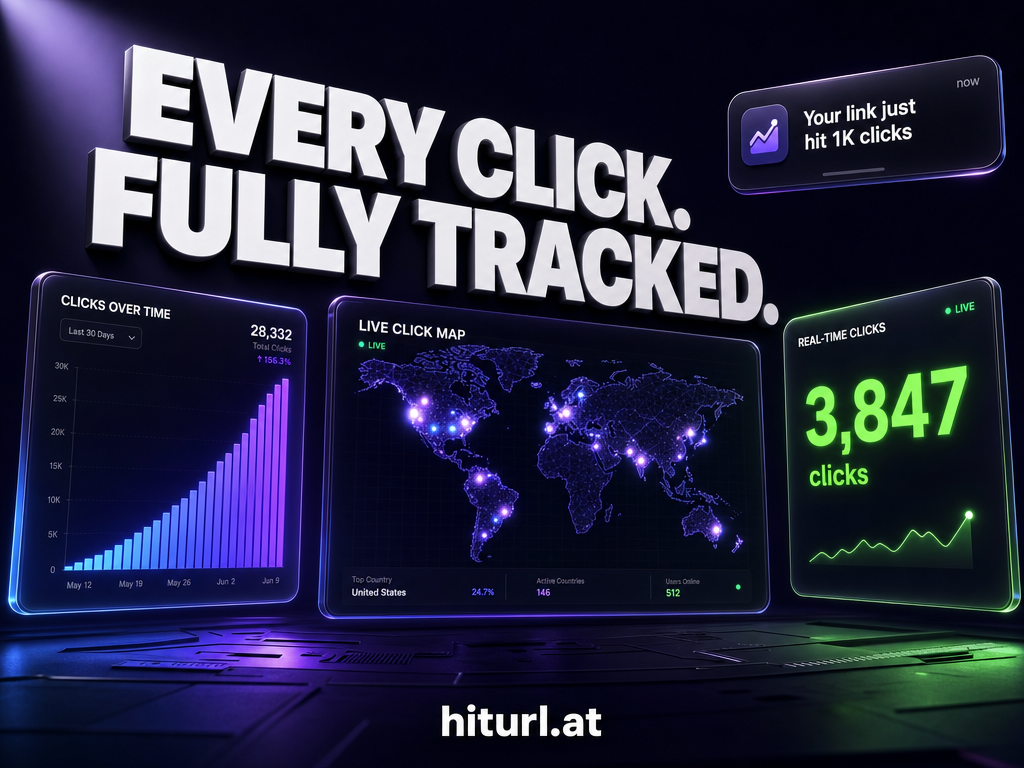
On top of that, HitURL tracks every click independently at the short link level: total clicks, unique clicks, device type, operating system, country, city, and referring domain. You get two layers of data: HitURL's own click analytics AND your Google Analytics campaign reports. They complement each other rather than compete.
You can use the Google Campaign URL Builder to construct your tagged URLs before pasting them into HitURL's link shortener.
The UTM Stack Method: A Framework for Clean Campaign Tracking
The UTM Stack Method is a four-step framework for building, shortening, and reading campaign links consistently across every channel you run. It eliminates the naming inconsistencies that break your analytics (e.g., "Email" vs "email" vs "e-mail" all appear as separate sources in GA4).
Step 1: Define Your Taxonomy Before You Build
Before creating a single link, write down the exact values you will use for utm_source, utm_medium, and utm_campaign across your entire team. Lowercase only. Underscores instead of spaces. No abbreviations unless they are universal.
Example taxonomy:
- Sources: instagram, facebook, linkedin, newsletter, google, partner
- Mediums: paid, organic, email, referral, sms, qr
- Campaign format: [product]_[goal]_[quarter] (e.g., shoes_conversions_q3_2025)
Step 2: Build the Full UTM URL
Use the Google Campaign URL Builder to construct your tagged URL. Paste in your destination page, fill in the fields using your taxonomy, and copy the output. At this stage, the URL is long and unshortened. That is expected.
Step 3: Shorten and Brand the Link
Paste the full UTM URL into HitURL. Add a custom alias that matches your campaign (e.g., hiturl.at/shoes-q3). This is the link you publish. It is short, readable, and still carries every UTM tag through the redirect.
If your campaign runs across multiple channels, create one short link per source. That way HitURL's click analytics and your GA4 reports both show clean, separated data per channel.
Step 4: Stack Your Pixel on the Short Link
This is where the method earns its name. HitURL lets you attach retargeting pixels (Facebook, Google, LinkedIn, Twitter, AdRoll, Quora, and Google Tag Manager) directly to your short link. Every visitor who clicks the link gets added to your retargeting audience, regardless of whether they convert on the landing page.
You are stacking two tracking mechanisms on one click: UTM data for your analytics platform and a retargeting pixel for your ad platform. The guide on firing a Facebook pixel from a URL shortener covers the pixel setup in detail. For GTM-based tracking setups, the walkthrough on connecting Google Tag Manager to your short links is worth reading alongside this guide.
The UTM Stack Method works because it separates concerns clearly: your taxonomy controls attribution accuracy, your short link controls presentation, and your pixel controls audience building. Each layer does one job well.
See how HitURL tracks every click, fires your pixels, and generates QR codes — free at hiturl.at.
Real Example: Tracking an Instagram Ad Campaign End to End
Here is a concrete walkthrough using an Instagram paid campaign for a footwear brand launching a new summer collection.
The Setup
Destination URL: https://example.com/summer-collection
UTM tags applied:
- utm_source=instagram
- utm_medium=paid
- utm_campaign=summer_collection_q3_2025
- utm_content=story_carousel_v1
Full tagged URL (before shortening): https://example.com/summer-collection?utm_source=instagram&utm_medium=paid&utm_campaign=summer_collection_q3_2025&utm_content=story_carousel_v1
Creating the Short Link in HitURL
- Paste the full UTM URL into HitURL's link shortener.
- Set a custom alias: summer25-ig-story
- Attach the Facebook pixel ID to fire on every click.
- Enable geo targeting if the campaign runs in specific markets.
- Publish the link: hiturl.at/summer25-ig-story
Reading the Analytics After 48 Hours
Inside HitURL's dashboard, you see click data broken down by:
- Device type: 84% mobile, 12% tablet, 4% desktop. Expected for Instagram Stories.
- Country: Top three are US, UK, and Canada, matching the campaign's geo targeting.
- Referrer: Nearly all clicks show instagram.com or the Instagram app as the referrer, confirming the source tag is accurate.
- Unique clicks vs. total clicks: A high ratio of unique clicks suggests low repeat visits, meaning the audience is broad and new.
In parallel, GA4 shows sessions attributed to instagram / paid / summer_collection_q3_2025 with the correct content dimension. You can compare conversion rates between ad variations by creating one short link per utm_content value.
When you create one HitURL short link per ad variation and stack UTM parameters on each, you can compare click volume, device split, and geographic spread at the short link level before even opening GA4. That gives you a fast signal on creative performance within hours of launch.
How Do You Read HitURL Click Analytics?
HitURL's analytics dashboard shows data for every short link you create. The core metrics are clicks by date, device breakdown, browser, operating system, country, city, and referrer.
Each dimension is filterable and viewable over custom date ranges. For campaign management, the most actionable views are country (for budget allocation across geo targets), device (for creative optimization), and referrer (for validating that traffic is actually coming from the source you tagged).
If you manage multiple campaigns, HitURL's campaign grouping feature lets you bundle related links together and view aggregate analytics across the group. This is particularly useful for affiliate tracking, where each partner gets a unique short link but you need rolled-up performance data. The full breakdown of this approach is covered in the guide on URL shorteners for affiliate marketing.
For messaging-based distribution, such as WhatsApp broadcast campaigns, HitURL short links work the same way. The guide on tracking WhatsApp link clicks shows how to apply UTM parameters to links shared in chat without breaking the click experience on mobile.
Do UTM Parameters Work with QR Codes?
Yes, and this is one of the most underused combinations in offline-to-online tracking.
A dynamic QR code, which is one where the destination URL can be changed after printing, can point to a HitURL short link that carries UTM parameters. When someone scans the QR code, HitURL logs the click (including device type and location), fires any attached pixels, and redirects the visitor to the destination with full UTM attribution intact in GA4.
This means you can place a QR code on a product package, a billboard, or an event badge and know exactly how many people scanned it, where they were located, what device they used, and whether they converted. All from one short link.
For developers building this into a larger tracking infrastructure, HitURL's REST API lets you create and manage short links programmatically, including setting custom aliases, attaching pixels, and pulling click data into your own dashboards.
Common UTM Mistakes That Break Your Attribution
Even experienced marketers make these errors. Knowing them saves hours of debugging later.
- Inconsistent capitalization: "Instagram" and "instagram" are two separate sources in GA4. Always use lowercase.
- Spaces instead of underscores: Spaces in UTM values get encoded as "%20" and make your campaign names unreadable in reports.
- Tagging internal links: Never add UTM parameters to links between pages on your own site. This resets the session source and destroys attribution for external traffic.
- Reusing campaign names across channels: If you run the same campaign name on both paid Facebook and organic LinkedIn, you cannot separate their performance in reports. Use channel-specific suffixes.
- Forgetting utm_content for A/B tests: If you run two ad creatives to the same landing page, you need different utm_content values on each link to compare them in GA4.
FAQ: UTM Parameters and URL Shorteners
Does shortening a UTM URL break Google Analytics tracking?
No. A URL shortener that uses standard HTTP redirects passes the full destination URL, including all UTM parameters, to the browser. Google Analytics reads those parameters when the destination page loads, not from the short link itself.
How many UTM parameters do I actually need?
At minimum, use utm_source, utm_medium, and utm_campaign on every external link you create. Add utm_content when you are testing multiple creatives or link placements. Use utm_term only for paid search keyword tracking.
Can I use UTM parameters on social media bio links?
Yes. Shorten the tagged URL first, then use the short link in your bio. Most social platforms display the short domain rather than the full URL, which keeps your profile looking clean while preserving full attribution data.
What is the difference between HitURL click data and Google Analytics data?
HitURL tracks every click at the network level, including clicks from people who have JavaScript disabled or who bounce before the GA4 tag fires. GA4 tracks sessions and conversions after the page loads. Both sets of data are valuable; HitURL's numbers are typically slightly higher because they capture more raw click events.
Does HitURL support UTM parameters for QR code campaigns?
Yes. You paste a fully tagged UTM URL into HitURL, generate a dynamic QR code pointing to that short link, and HitURL logs every scan while passing UTM data through to your analytics platform. You can update the destination URL after the QR code is printed without reprinting it.
Clean campaign tracking starts with two things: a disciplined UTM taxonomy and a URL shortener that preserves every tag through the redirect. The UTM Stack Method gives you a repeatable process for building links that work across every channel, from Instagram ads to QR codes on product packaging.
See how HitURL tracks every click, fires your pixels, and generates QR codes — free at hiturl.at. No credit card needed to get started.