Your cold email sequence is dialed in. The subject line converts. The copy is tight. But your reply rate has fallen off a cliff, and your open rates are telling a dark story. The culprit is almost certainly sitting inside the body of your email: a generic short link from a public shortener that spam filters flagged before your prospect ever saw it.
Using a custom domain shortener for cold email is not optional if deliverability matters to you. This guide breaks down exactly why generic short links destroy sender reputation, then walks you through a 4-step framework to map your own branded subdomain, layer on SSL verification, and track every click without touching your spam score.
Why Generic Short Links Are a Deliverability Liability
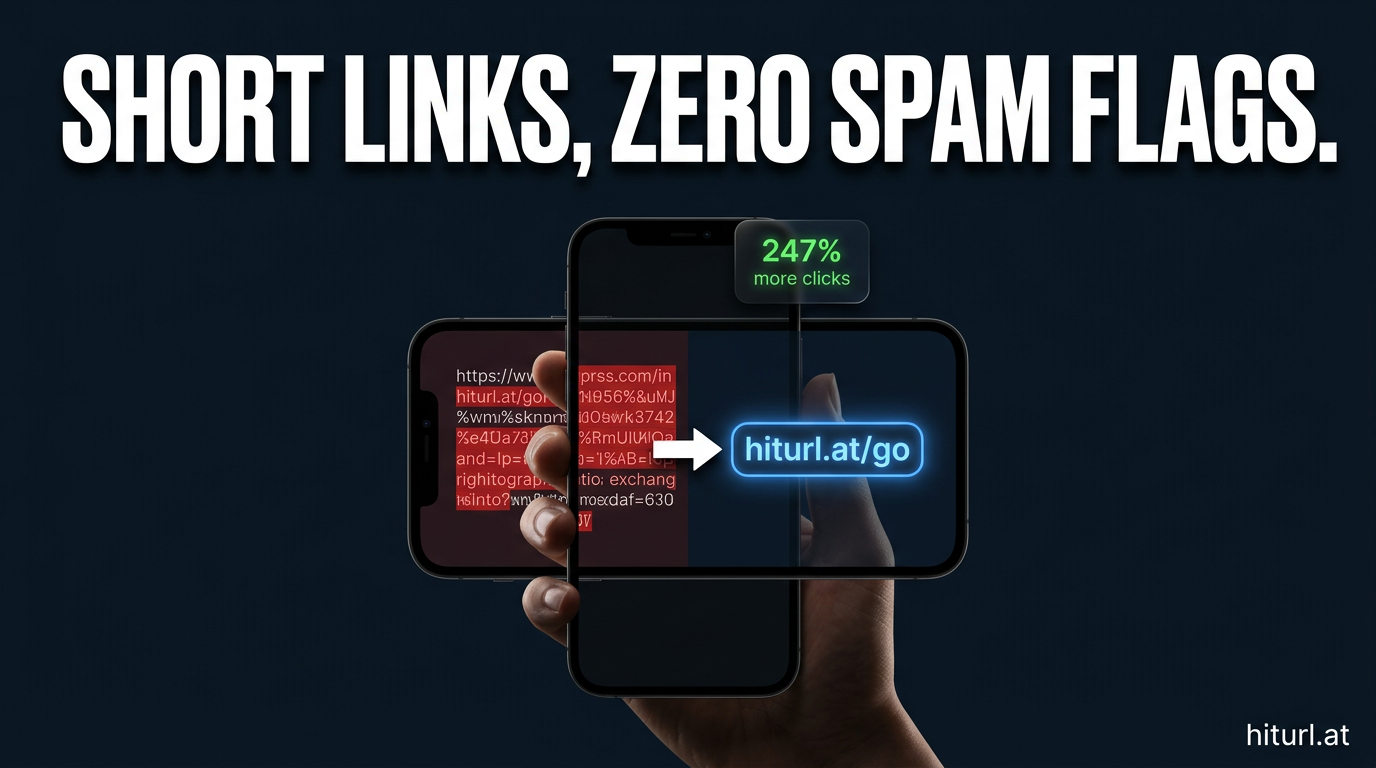
Spam filters do not read your email the way a human does. They scan URLs, check domain reputation databases, and cross-reference shared infrastructure. When you use a generic public shortener like bit.ly or tinyurl.com, your link shares a root domain with millions of other senders, including spammers.
That shared reputation is the problem. A single bad actor on the same short link domain can poison the IP and domain reputation for everyone on the platform. Your pristine sending domain takes the collateral damage.
Generic public short link domains are shared infrastructure. When one sender on that domain sends spam, every other user's links inherit a fraction of that reputational damage, which automated spam filters amplify across email providers like Gmail, Outlook, and Yahoo Mail.
According to Mailgun's email deliverability best practices guide, URL reputation is one of the primary signals that inbox providers use to classify bulk and outreach email. A single suspicious link in your email body can override a strong sender score.
The technical mechanism works like this: email security gateways, including Microsoft Defender, Google's spam filters, and third-party tools like Proofpoint, run real-time lookups against URL reputation databases such as Spamhaus DBL and SURBL. If your short link's root domain appears on any of these lists, even temporarily, your email gets routed to spam or blocked outright.
What Is a Custom Domain Shortener and Why Does It Fix This?
A custom domain shortener is a URL shortening setup where the shortened link uses a domain you own and control, rather than a shared public root. Instead of bit.ly/abc123, your link looks like go.yourbrand.com/abc123.
This matters for three specific reasons in cold outreach:
- Isolated reputation: Your domain's reputation is yours alone. No other sender can contaminate it.
- Trust signals: Prospects see a recognizable brand domain in the link, which improves both deliverability and click-through rate.
- Full tracking control: You retain click analytics, geo data, and device data without relying on a third-party platform's infrastructure appearing in your links.
Before you set this up, it helps to understand how spam filters evaluate URLs at the technical level. Tools like MXToolbox let you check your domain's blacklist status and DNS health in real time. Run your shortener domain through it before you send a single email.
A branded short link on a domain you own is one of the highest-leverage changes a cold email sender can make. It separates your link reputation entirely from shared shortener infrastructure, giving spam filters a clean, verifiable domain to evaluate on its own merits.
For a deeper look at how branded short links work at the domain level, read our guide on setting up a branded short link with a custom domain.
The 4-Step Framework: Custom Subdomain Setup for Cold Email
This framework is called the Clean Subdomain Stack. It separates your link tracking infrastructure from your main sending domain while keeping every metric intact. Follow these steps in order.
Step 1: Choose a Dedicated Tracking Subdomain
Do not use your root sending domain for short links. Use a subdomain specifically allocated for link tracking. A clean example: if your sending domain is youragency.com, your link subdomain could be go.youragency.com or links.youragency.com.
Why a subdomain instead of the root? Because subdomains carry semi-independent reputations in some spam filter architectures. If your link subdomain ever gets flagged (for example, after a high-volume campaign), your root sending domain stays clean. The separation protects your core deliverability infrastructure.
Step 2: Point Your Subdomain's DNS to HitURL
Log into your DNS provider (Cloudflare, Namecheap, GoDaddy, or wherever your domain lives) and create a CNAME record pointing your chosen subdomain to HitURL's servers. HitURL provides the exact CNAME target value when you connect a custom domain inside the platform.
The DNS propagation typically takes between 15 minutes and 48 hours. You can monitor propagation status with MXToolbox's DNS lookup tool. Do not proceed to step 3 until the CNAME is fully propagated and resolving correctly.
Step 3: Verify SSL and Force HTTPS
An SSL certificate is non-negotiable. Email clients and spam filters flag unencrypted HTTP links as suspicious, and many corporate firewalls block them outright. HitURL provisions a verified SSL certificate automatically when you connect your custom domain, so your links serve over HTTPS from day one.
Verify this yourself before sending. Open your short link in a browser and confirm the padlock icon is present and the certificate is valid. A mixed-content warning or a certificate error means something in the DNS or SSL provisioning step did not complete correctly.
Every short link in a cold email must resolve over HTTPS with a valid SSL certificate. An HTTP link or a certificate warning signals to both spam filters and recipients that the destination is untrusted, which tanks both deliverability and click-through rate simultaneously.
Step 4: Create Tracked Links with UTM Parameters
Now that your subdomain is live and verified, build your campaign links. For cold email specifically, you need UTM parameters on every destination URL so your analytics platform (Google Analytics, your CRM, or HitURL's built-in dashboard) attributes conversions correctly.
A clean UTM structure for cold outreach looks like this:
- utm_source: cold-email
- utm_medium: outreach
- utm_campaign: your campaign name (e.g., q3-saas-founders)
- utm_content: the specific link placement (e.g., cta-button or ps-line)
Paste the full destination URL with UTM parameters into HitURL, assign your custom subdomain, and generate the short link. Your link stays clean and branded while the full UTM data passes through to your analytics on redirect. For a complete breakdown of this tracking approach, see our guide on tracking link clicks with UTM parameters.
Switch to HitURL today. Free to start, and you keep every feature that matters. Set up your custom domain, generate branded short links, and track every click from your cold outreach campaigns at hiturl.at.
How Do Spam Filters Evaluate Short Links in Email?
Spam filters evaluate short links through a multi-layer process. Understanding it helps you anticipate and prevent deliverability problems before they appear in your data.
First, the filter checks the short link's root domain against blacklist databases (Spamhaus, SURBL, URIBL). If the domain appears on any list, the email is flagged immediately, regardless of your sending domain's reputation.
Second, the filter follows the redirect and evaluates the destination URL's domain reputation. If your destination domain is clean but your short link domain is flagged, the email still fails. The short link root domain is evaluated independently from the destination.
Third, some enterprise mail gateways perform time-of-click URL rewriting, meaning they follow your link at the moment the recipient clicks it. This is a secondary check that happens after delivery, and it is why a short link that passes the initial spam filter check can still route to a security warning page for the recipient.
Spam filter URL evaluation happens in at least two stages: at delivery time against blacklist databases, and at click time through enterprise mail gateway inspection. A custom short link domain that you own and monitor passes both checks cleanly, while a shared public shortener domain can fail either stage unpredictably.
What Else Affects Cold Email Deliverability Beyond the Link?
The Clean Subdomain Stack solves the link reputation problem. But deliverability is a system, not a single fix. Here are the other variables you need to have in order.
Authentication Records
Your sending domain needs SPF, DKIM, and DMARC records configured correctly. These authenticate your emails to receiving mail servers and are a baseline requirement for inbox placement. Without them, even a perfect custom short link does not save you.
Sending Volume and Warm-Up
New domains and new email accounts need a gradual warm-up period. Starting with high volume signals to mail providers that the account is behaving like a bulk sender, which triggers algorithmic spam classification.
Link-to-Text Ratio
Cold emails with too many links look like promotional blasts. For outreach, keep it to one or two links maximum per email. One branded short link with tracking is better than three generic links with no tracking.
For a broader look at how link strategy fits into email marketing as a whole, our article on using a URL shortener in email marketing covers the full picture.
Does Link Tracking in Cold Email Hurt Deliverability?
Yes, but only when it is done poorly. Link tracking itself is neutral. What matters is how the tracking is implemented.
Tracking pixels embedded in email images are increasingly blocked by email clients (Apple Mail's Mail Privacy Protection being the most significant example, rolling out across iOS 15+ since 2021). Click tracking through a custom branded short link is more reliable and less likely to be blocked or flagged.
The key distinction is transparency. When your tracking link uses your own domain, the redirect chain is clean: your branded subdomain redirects to your destination URL, with UTM parameters firing on redirect. No third-party JavaScript. No cross-domain tracking scripts in the email body. Spam filters and privacy tools see a straightforward, verifiable redirect, not a surveillance chain.
You can start building your tracked, branded links right now at the HitURL link shortener, and review what is included at each tier on the HitURL pricing page.
Common Mistakes Cold Email Senders Make with Short Links
These are the patterns that show up repeatedly in deliverability audits:
- Using bit.ly or tinyurl in outreach sequences: These are shared domains with unpredictable reputation. Never use them in cold email.
- Tracking with the root sending domain: If your sending domain gets blacklisted due to link activity, your entire email operation goes down. Always use a subdomain.
- Skipping SSL verification: An unencrypted redirect is an immediate red flag for both spam filters and prospects.
- No UTM parameters on destination URLs: Without UTM tags, you cannot attribute pipeline to specific campaigns. Your CRM will show traffic but no source context.
- Using the same short link across multiple campaigns: Create unique links per campaign. If one campaign triggers spam complaints, the link associated with it stays isolated and does not contaminate others.
Frequently Asked Questions
Do short links always trigger spam filters in cold email?
Not always, but generic public shortener domains carry a high risk because they are shared with potentially thousands of other senders. A short link on a custom domain you own and monitor carries far lower risk because its reputation is isolated to your own sending behavior.
Can I use HitURL's custom domain feature on the free plan?
HitURL's free tier includes core link shortening features. Custom domain setup is available on paid tiers. Check the HitURL pricing page for the current feature breakdown across plans.
How do I check if my short link domain is blacklisted?
Use MXToolbox's blacklist checker. Enter your custom shortener subdomain and it will scan it against major blacklist databases including Spamhaus, SURBL, and URIBL. Run this check before every major sending campaign.
Should I use a separate domain entirely for link tracking, or a subdomain of my sending domain?
A subdomain of your sending domain is the preferred approach for brand consistency and trust signals. Using a completely separate domain works but can look suspicious to spam filters if the domain is new or has no independent reputation. A subdomain inherits some of the parent domain's established reputation.
How many links should I include in a cold email?
Keep it to one or two links maximum. More than two links in a cold outreach email increases the probability of spam classification and dilutes the focus of your call to action. One strong branded link is almost always more effective than multiple competing links.
Your Next Move
Every cold email you send with a generic short link is a risk you do not need to take. The Clean Subdomain Stack takes less than an hour to set up and the deliverability protection it provides is permanent. Your sender score stays clean. Your click tracking stays intact. Your prospects see a professional branded link instead of a suspicious redirect chain.
Switch to HitURL today. Free to start, and you keep every feature that matters. Connect your custom domain, generate branded short links for every campaign, and finally know which links are driving replies at hiturl.at.